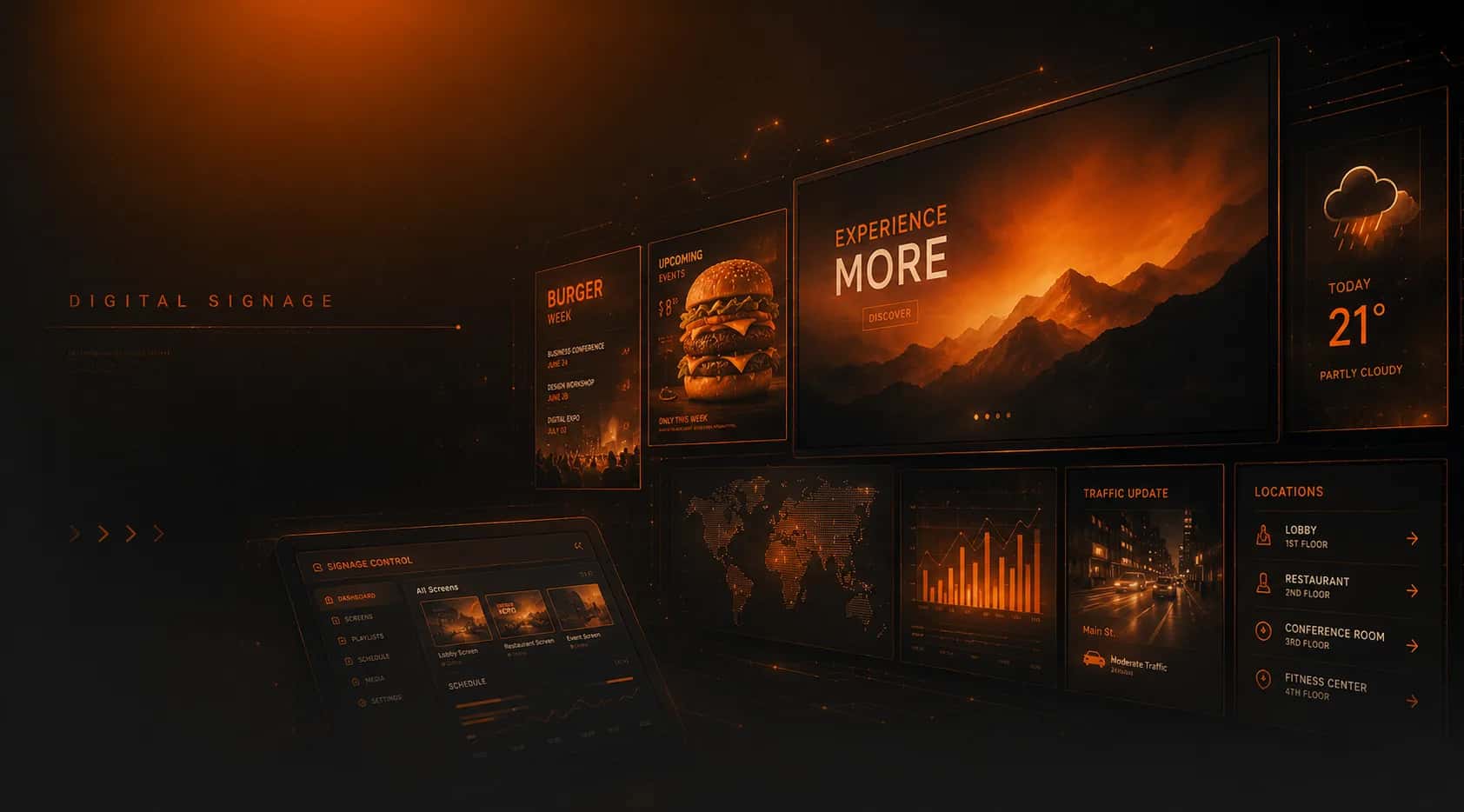
Digital signage
Digital signage and menu boards
Put menus, promotions, signage apps and AI visuals on every screen — split into zones, scheduled by day and hour, updated in seconds from MUSICDJ Backstage. For restaurants, bars, retail, gyms and hotels.
Every screen, on message
Design once, schedule everywhere — no technician required.
Digital menu boards
Show your menu on screen and update items or prices instantly — no reprinting.
AI-generated visuals
Create on-brand promo graphics and backgrounds with AI in seconds.
Schedule by day, hour & zone
Breakfast menu on weekday mornings, happy hour at 17:00, a campaign only in December — set once, it runs on its own.
Any screen, any device
Runs on MUSICDJ Android and Windows players, the MUSICDJ PLAYBOX or any browser — turn any TV into a smart display.
Multi-location control
Update one screen or every venue at once from Backstage.
Keeps showing offline
With the MUSICDJ PLAYBOX, screens keep playing even if the internet drops.
Split-screen layouts
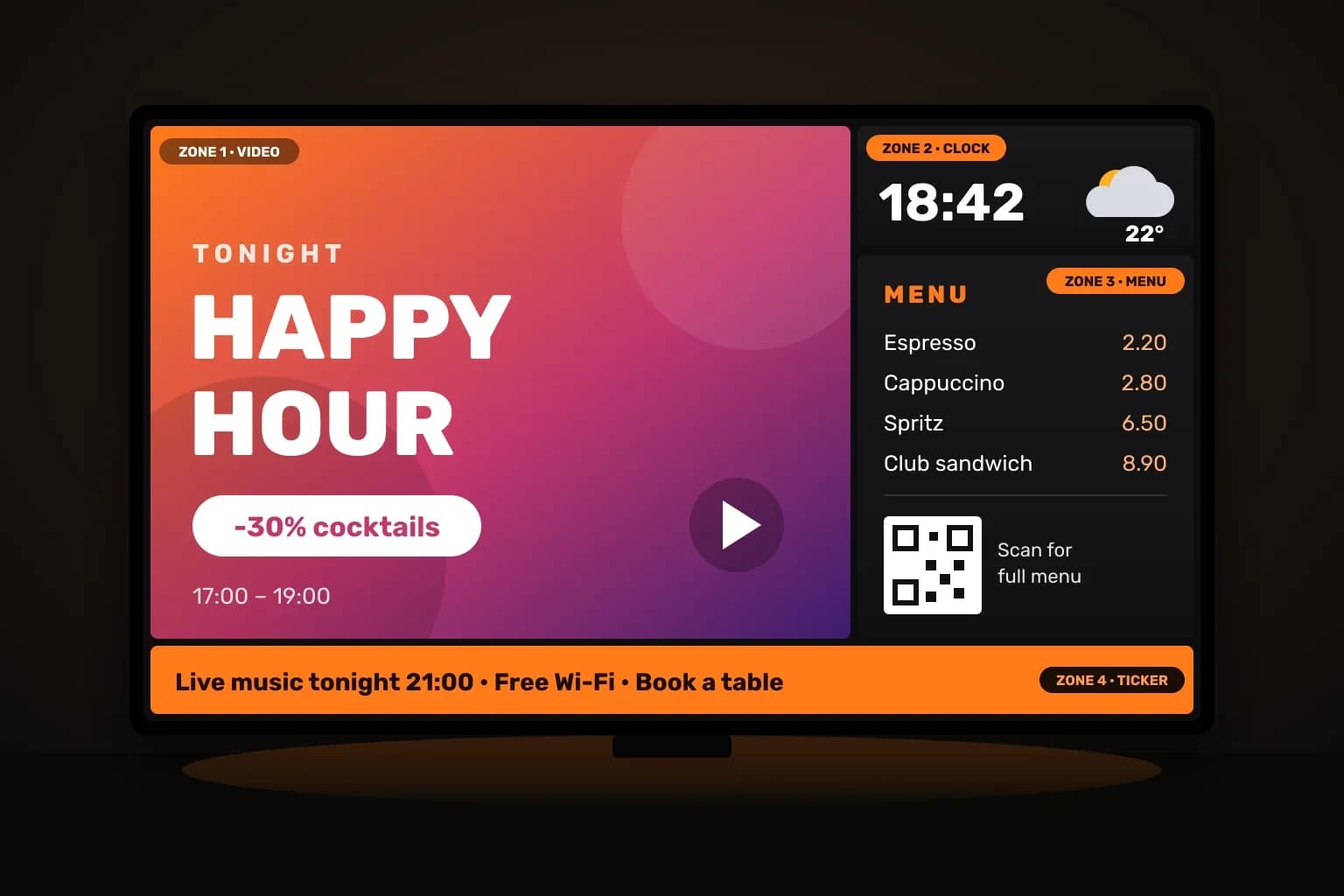
Video, menu, clock and a news ticker on one screen — six ready layouts, landscape or portrait.
Screen groups for chains
Assign content to a group once; every screen in it — and every new one you add — follows automatically.
Control from your phone
Switch playlists, change what is on screen and check status from the MUSICDJ Remote app.
MUSICDJ signage apps
Add live content to any screen in a few clicks. Every app runs on the MUSICDJ Android and Windows players, and you control it all from the MUSICDJ Remote app and the central MUSICDJ Backstage dashboard.
AI visuals — design without a designer
Promote a new dish, a happy hour or an event with striking, on-brand graphics generated by AI. Describe what you want and push it to your screens in minutes — no design tools, no agency.

Split-screen layouts — one screen, many messages
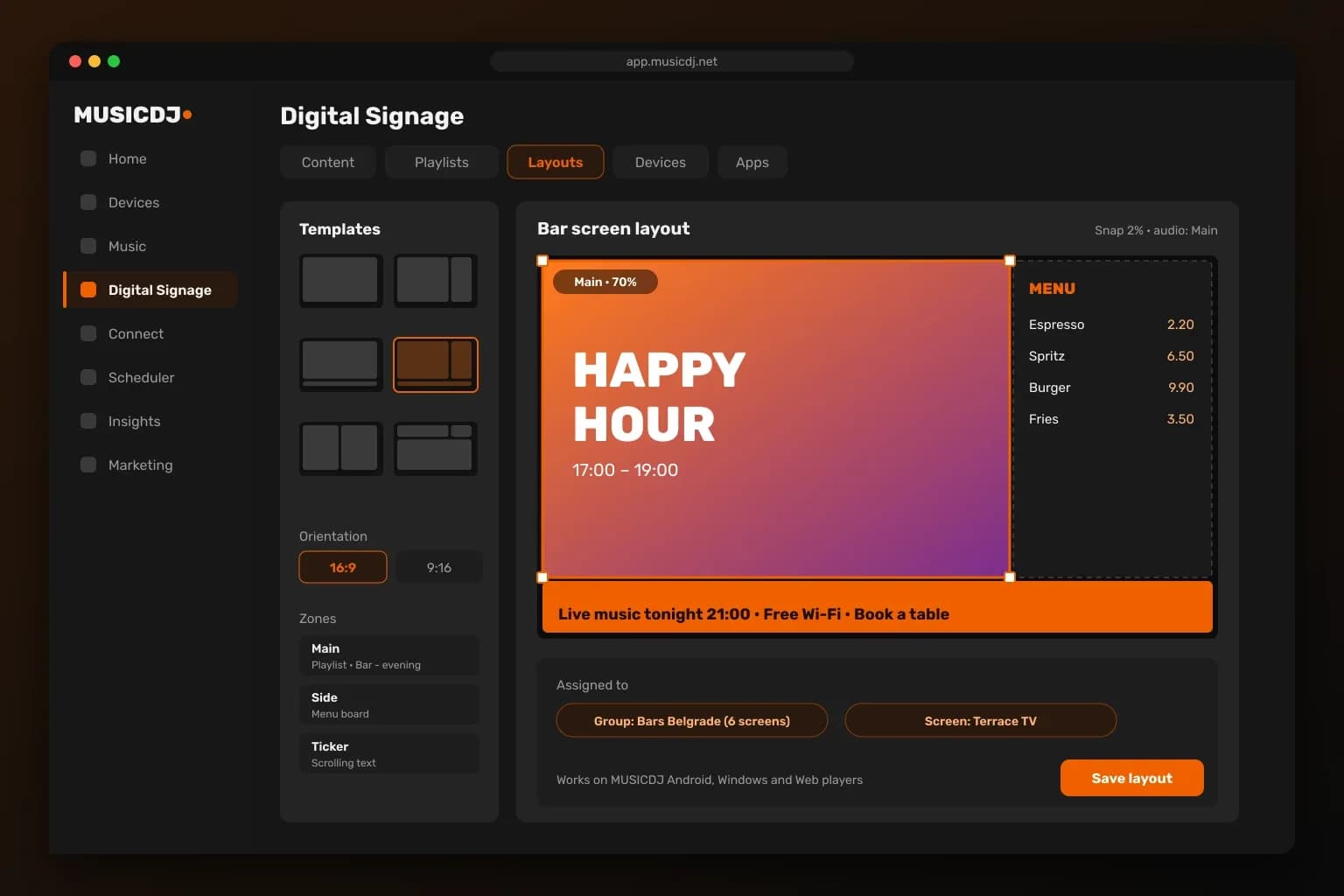
Divide any screen into zones: a promo video in the main area, your live menu with prices on the side, time and weather in the corner and a scrolling ticker along the bottom. Pick one of six ready layouts, landscape or portrait, drag the zones into place in Backstage and every zone plays its own content and schedule.
Menu boards that update themselves
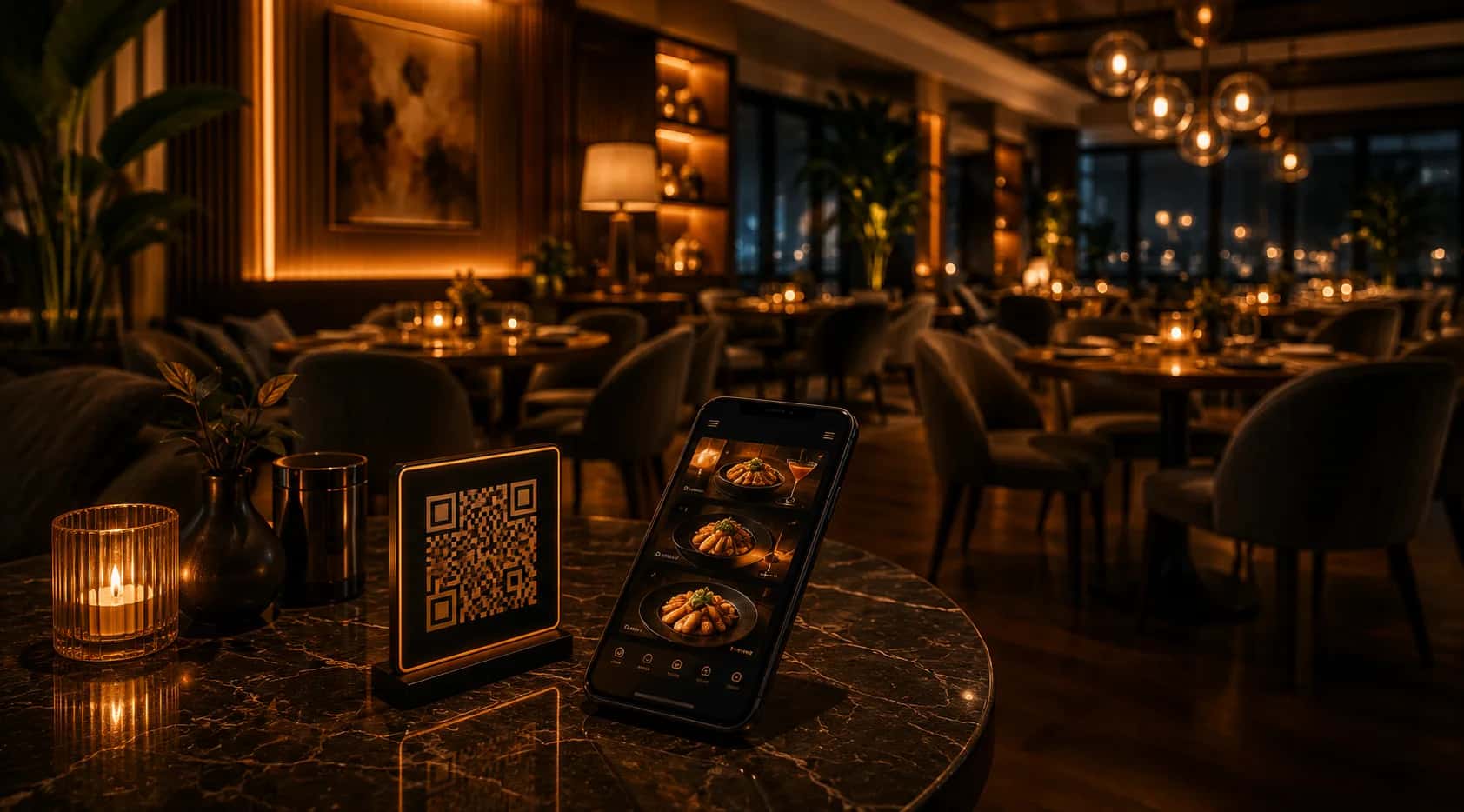
Change a price or 86 an item once, and every screen updates instantly. Tie your boards to the same menu as your Connect QR menu, so what guests see on screen and on their phone always matches.

How MUSICDJ signage works
From a blank TV to a live, scheduled screen in three steps.
- 1
Connect a screen
Use the MUSICDJ Android player or MUSICDJ PLAYBOX, a Windows PC or any browser, and pair it with your account in a minute.
- 2
Build your content
Upload images and videos, add signage apps and arrange them in playlists or split-screen layouts in MUSICDJ Backstage.
- 3
Schedule and control
Set days and hours per item, assign screens or whole groups, and change anything later from the dashboard or the Remote app.
MUSICDJ Backstage — all your content in one place
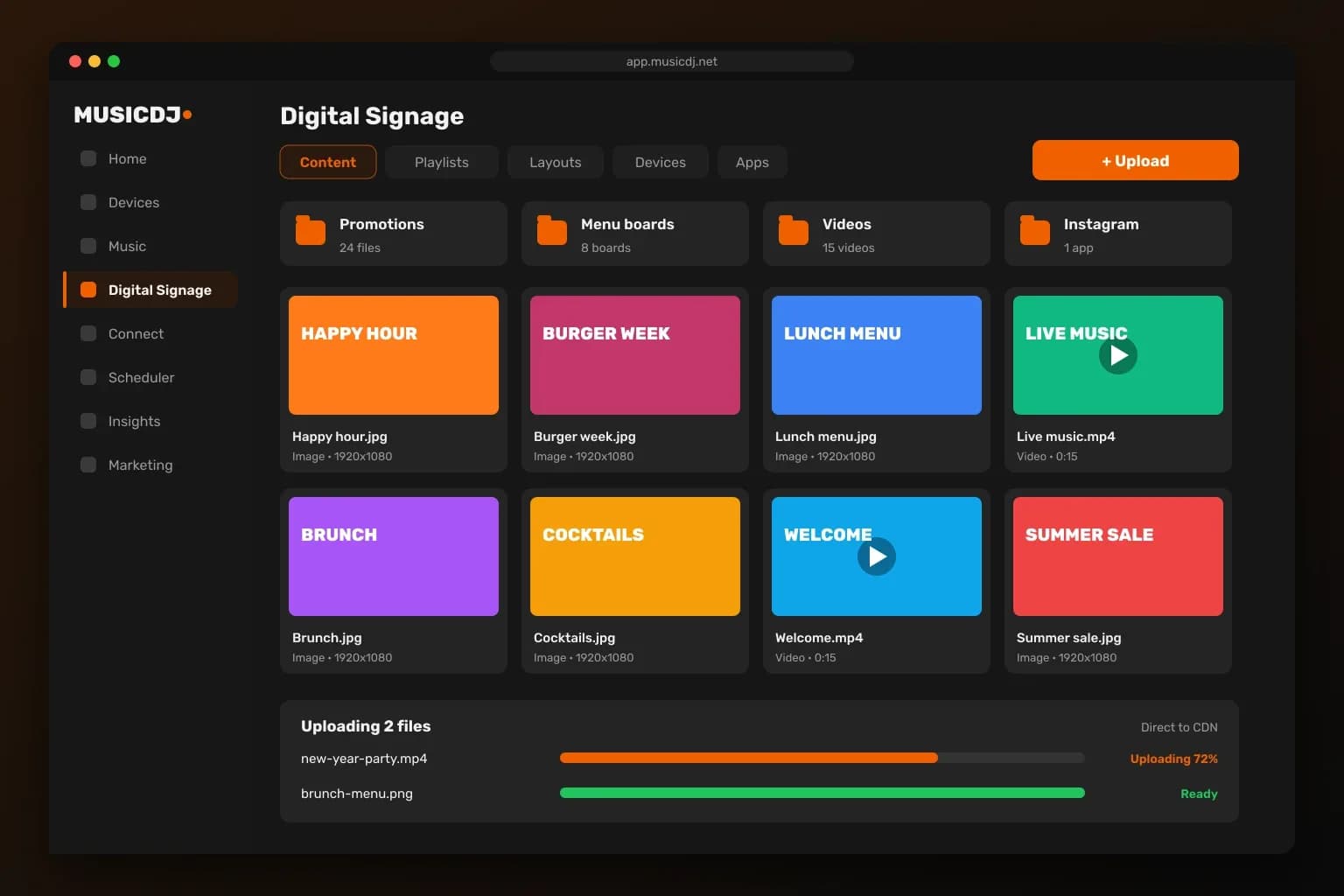
Upload images and videos straight to our CDN with live progress, and they are ready on your screens within seconds. Images are optimized automatically, videos are processed in the background, and everything stays organized in folders next to your menu boards and signage apps.
Playlists with real scheduling
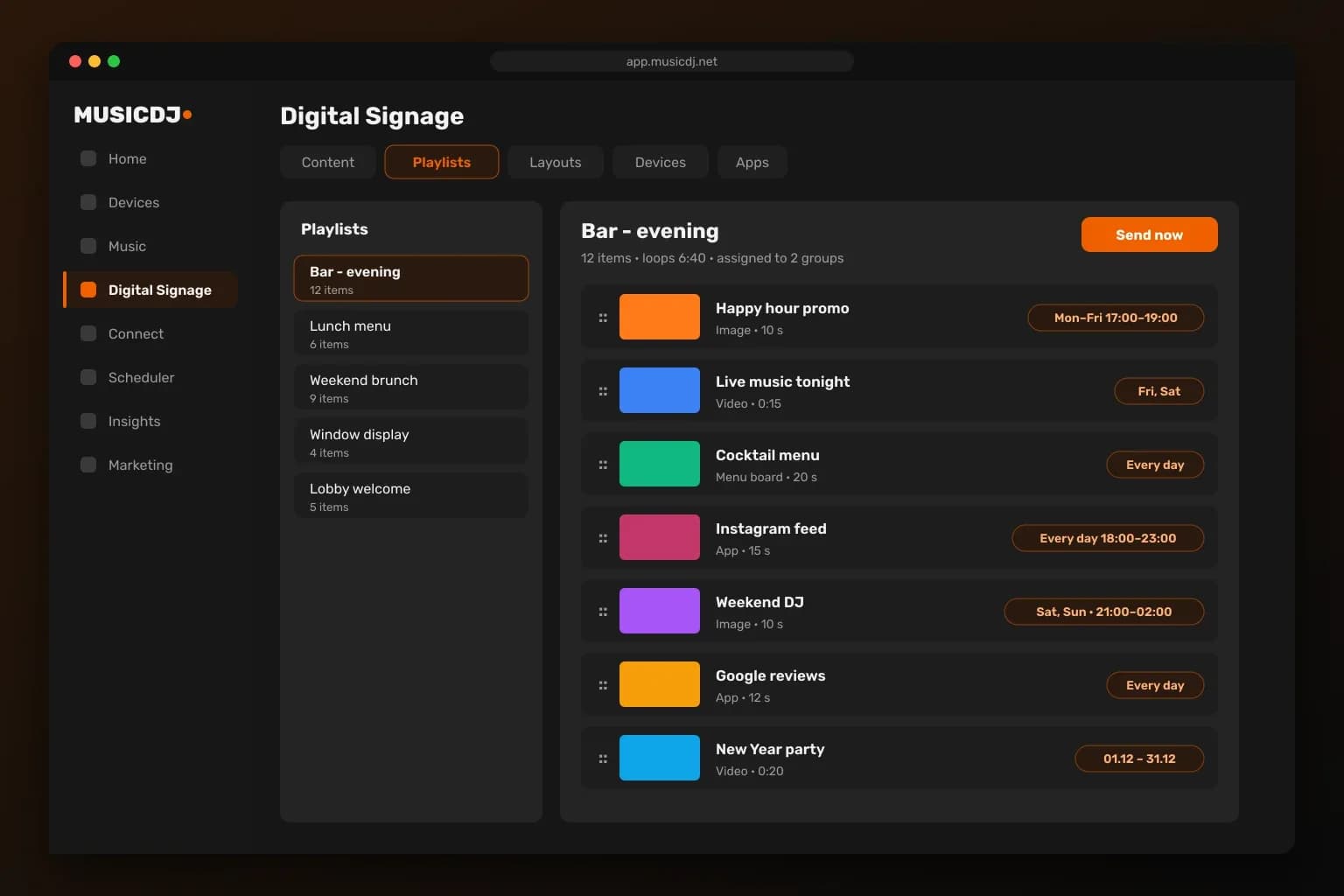
Drag items into order, set how long each one stays on screen and choose exactly when it plays: days of the week, hours of the day and campaign dates. Happy hour shows only Monday to Friday from 17:00, the New Year promo only in December — set it once and MUSICDJ does the rest. Assign a playlist to single screens or whole groups and send it out instantly.
Drag-and-drop layout editor
Pick a template, drag and resize zones on a 16:9 or 9:16 canvas, and put a playlist, a signage app or a scrolling ticker in each zone. Choose which zone plays sound, assign the layout to a screen or a group, and save. Layouts work on MUSICDJ Android, Windows and Web players.
Every screen under control
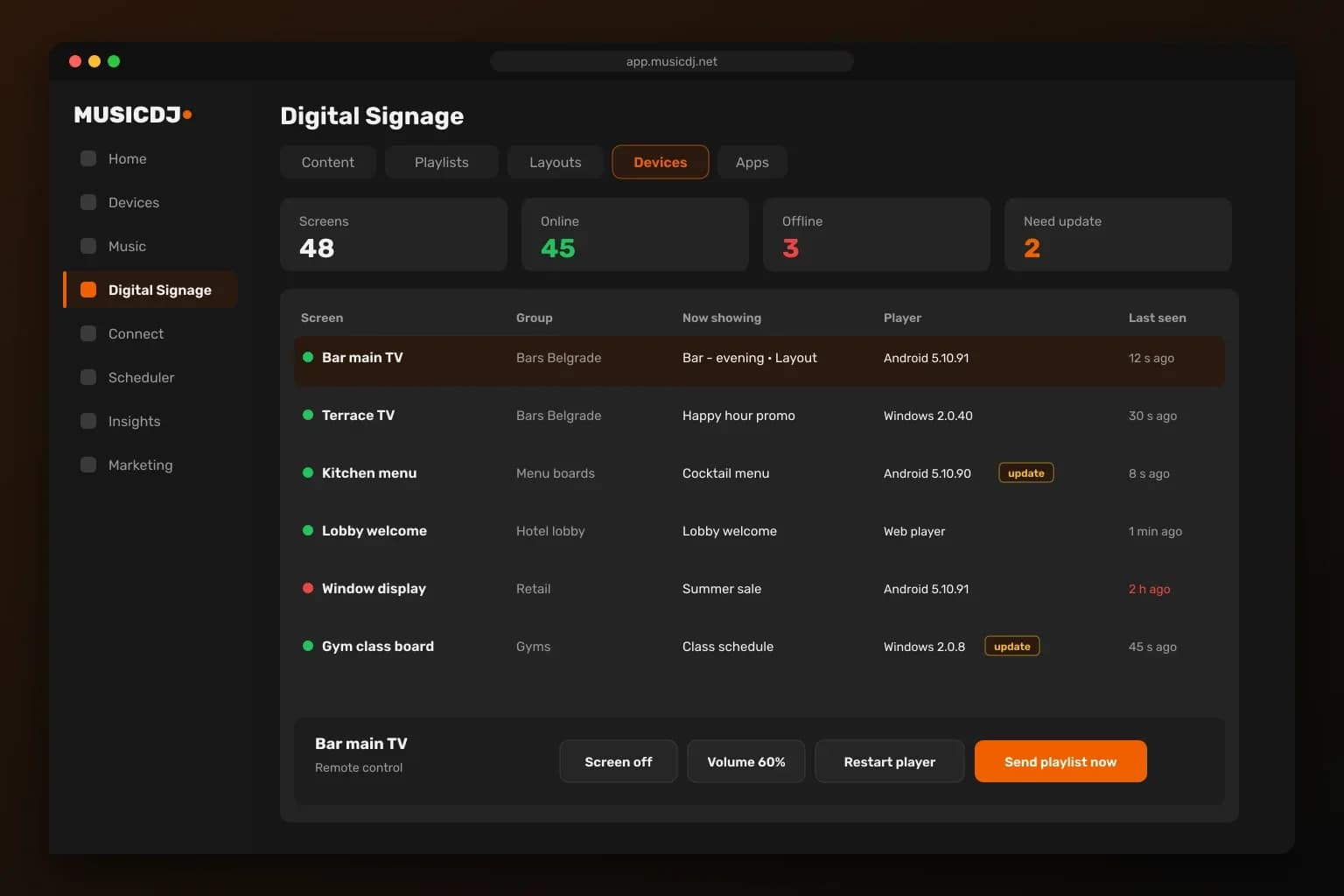
See every screen at a glance: online or offline, what it is showing right now, its player version and whether an update is waiting. Turn a screen off, change the volume, restart the player or push new content in one click — from the dashboard or from the MUSICDJ Remote app on your phone.
Built for teams and multi-location brands
Give every manager the right access and keep every screen running.
Team roles
Owners, admins and staff accounts — each person sees and changes only what they should.
Locations and groups
Organize screens by venue, area or brand and update one screen, one group or every location.
Offline playback
MUSICDJ PLAYBOX and Windows players keep showing downloaded images and video when the internet drops.
Remote app
Managers change content, volume and screens from their phone with the MUSICDJ Remote app.
Players for every screen
Choose the player that fits each location — all managed from one MUSICDJ Backstage dashboard.
Why not just a TV with a USB stick?
Because manual screens cost you time and look it.
USB & PowerPoint waste hours
Every change means re-exporting and walking a stick to each screen — across every location.
No scheduling, no zones
A looping slideshow can’t show the right content by time of day or by area.
MUSICDJ updates remotely
Change one screen or all venues from the dashboard in seconds — and tie boards to your live menu.
More than screens — one platform
Digital signage is one part of MUSICDJ. Add music, a guest app and a paid jukebox whenever you’re ready — same dashboard, same bill.
Built for every venue
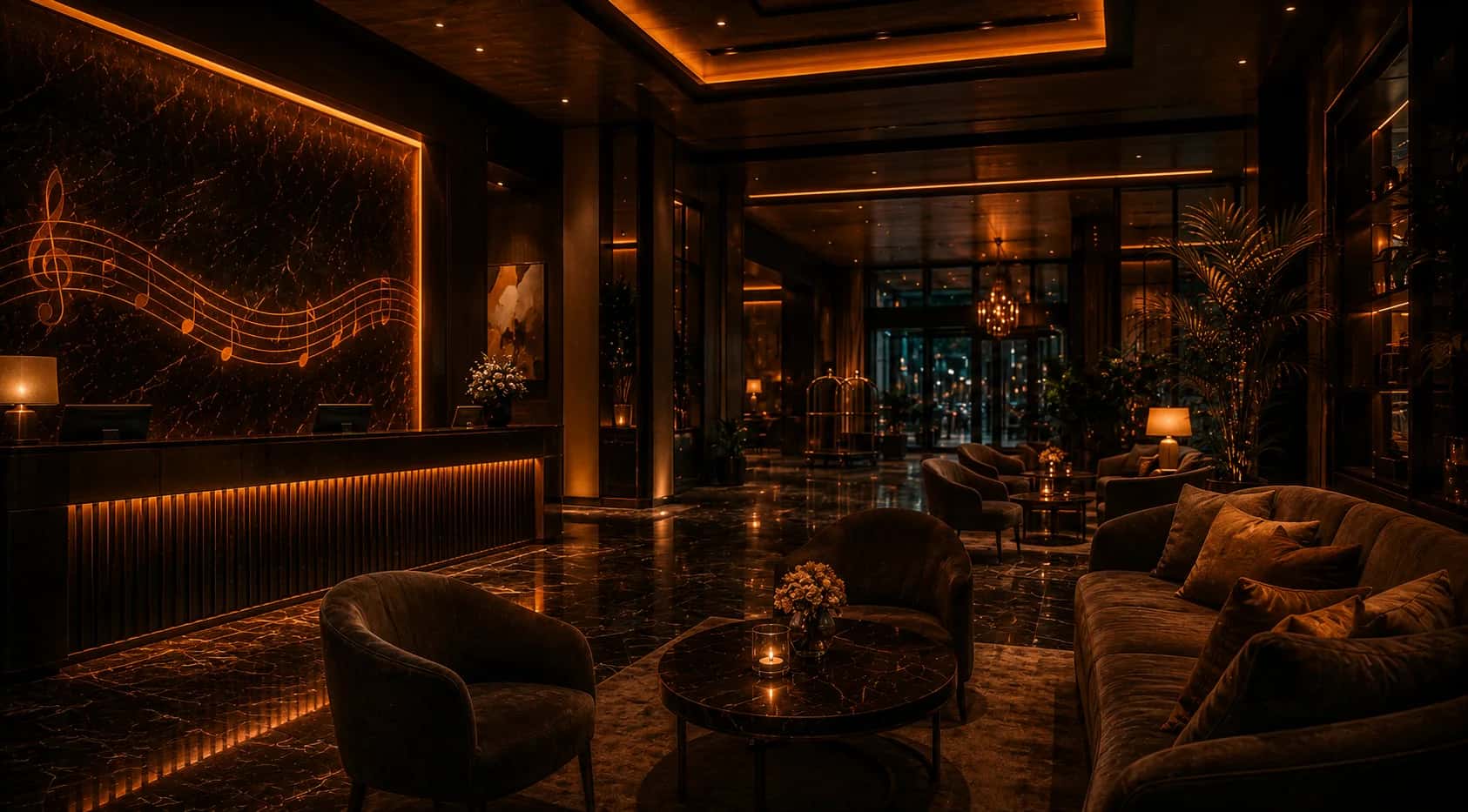
Tuned for the places people gather.
Digital signage — FAQ
What can I show on my screens?+
Menus and menu boards, promotions, events, AI-generated visuals, images and video — scheduled by screen and time.
Can it show my menu and update prices?+
Yes. Boards can use the same menu as your Connect QR menu, so a price change updates screens and guests’ phones at once.
Can I schedule content by time and location?+
Yes — different content per screen, per zone and per time of day, set once and run automatically.
What hardware do I need?+
Any screen plus a MUSICDJ Android player or MUSICDJ PLAYBOX, a Windows PC or a browser. The MUSICDJ PLAYBOX adds offline playback, remote monitoring and silent updates out of the box.
Can I manage many locations?+
Yes — update one screen or every venue from one Backstage dashboard.
Can I split one screen into several zones?+
Yes. Choose one of six layouts and show, for example, a promo video, your menu with prices, a clock and a scrolling ticker on the same screen. Each zone has its own content.
Does it work on portrait (vertical) screens?+
Yes. Layouts and playlists work in landscape and portrait, so tall menu boards and entrance screens look right.
Can I show Instagram, Google reviews or YouTube?+
Yes. Add signage apps such as Instagram, Google reviews, YouTube, RSS news, weather, clock, QR codes and web pages in a few clicks.
What happens if the internet goes down?+
MUSICDJ PLAYBOX and Windows players keep playing their downloaded images and video offline and pick up changes as soon as the connection returns. Live streams, web pages and live apps such as weather or Instagram need a connection.
How many screens can I manage?+
As many as you need. Put screens into groups per venue or area and update one screen, one group or every location at once.

Put your best message on every screen
Create a free account and turn any screen into an on-brand display in minutes.