Device management (MDM)
Manage every Android and Windows player from one dashboard
MUSICDJ MDM keeps your whole fleet of music and signage players healthy: live status, remote commands, silent updates and email alerts — for Android boxes, TVs and Windows PCs, with no device limit.
Everything you need to run a fleet
Built for venues and chains that cannot send a technician every time a screen acts up.
One fleet, two platforms
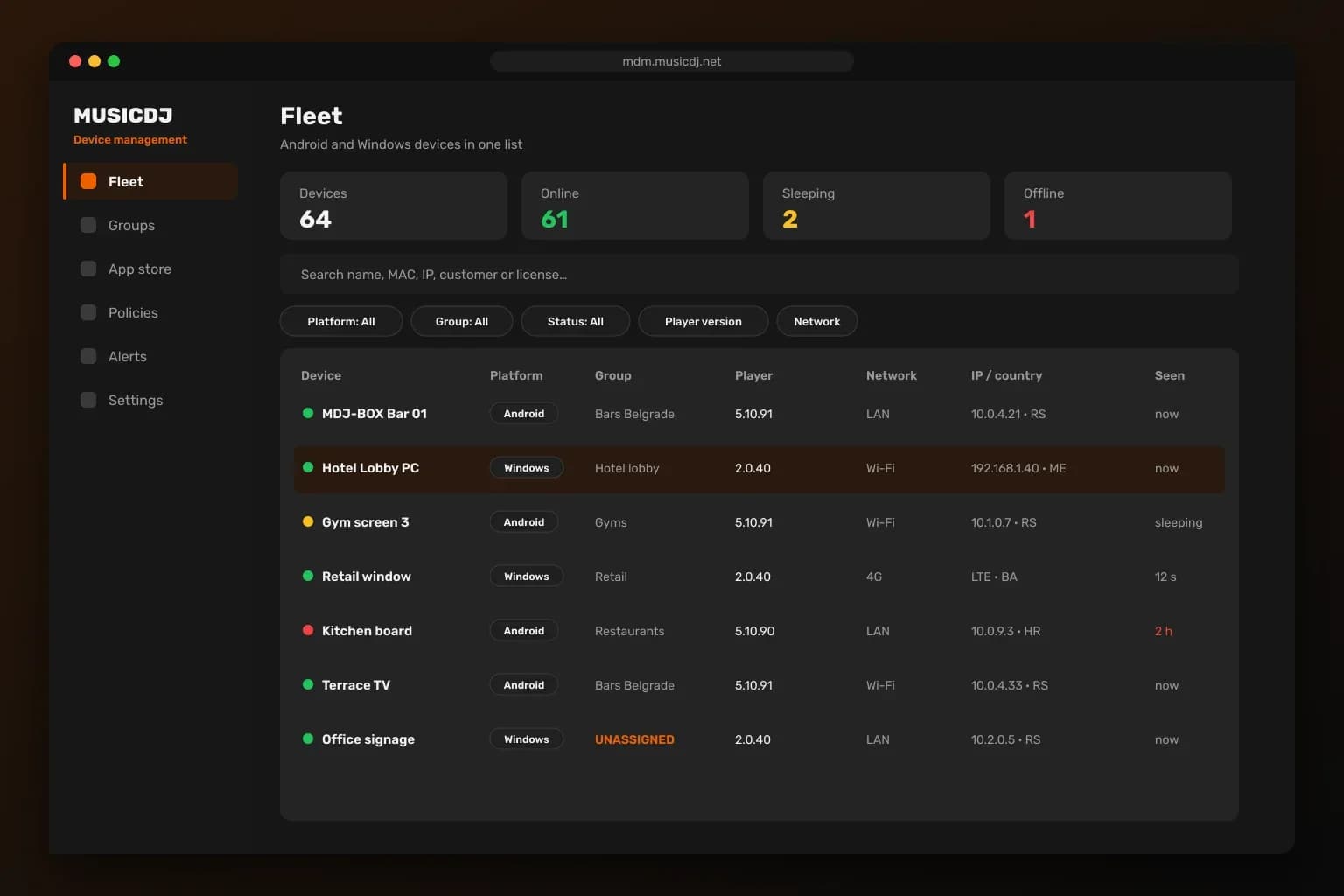
Android and Windows devices in one list with status, versions, network and location.
Remote commands
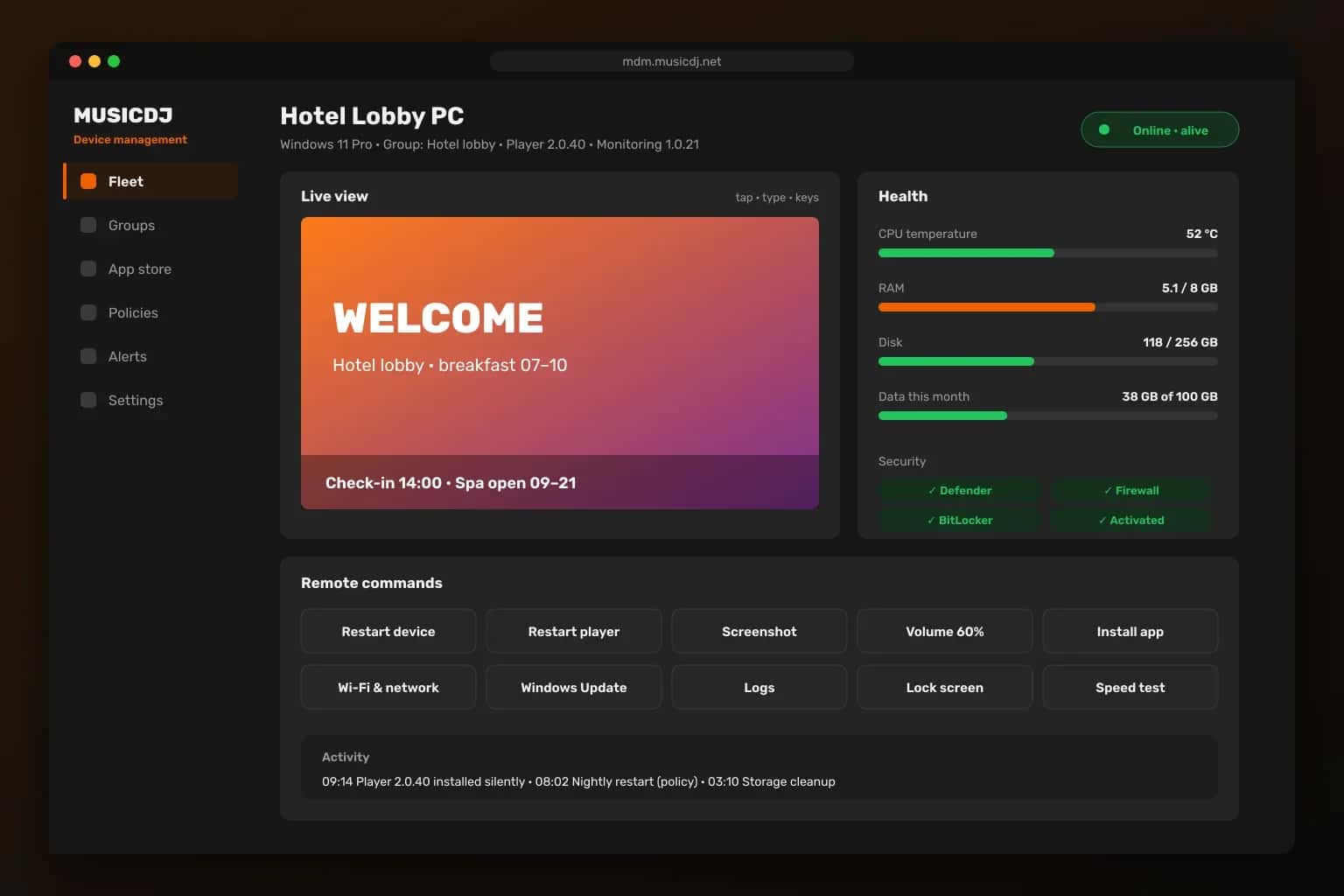
Restart devices and players, change volume, install apps, take screenshots and fix Wi-Fi from anywhere.
Silent updates
Mark a version as Latest and devices install it on their own — no visits, no pop-ups.
Live view
See the screen in your browser and tap, type or press keys to help on the spot.
Email alerts
Know when a device goes offline, when it is back and when a data limit is close.
No device limit
From a single screen to a whole fleet — groups and policies keep large fleets simple.
Your whole fleet in one view
Every device shows online, sleeping or offline, its player and agent version, network type (LAN, Wi-Fi or 4G), public and local IP, country, model and last seen. Search by name, MAC, IP, customer or license and filter by group, platform, model, player version or update state. New devices land in an Unassigned group until you place them.
Remote control for every device
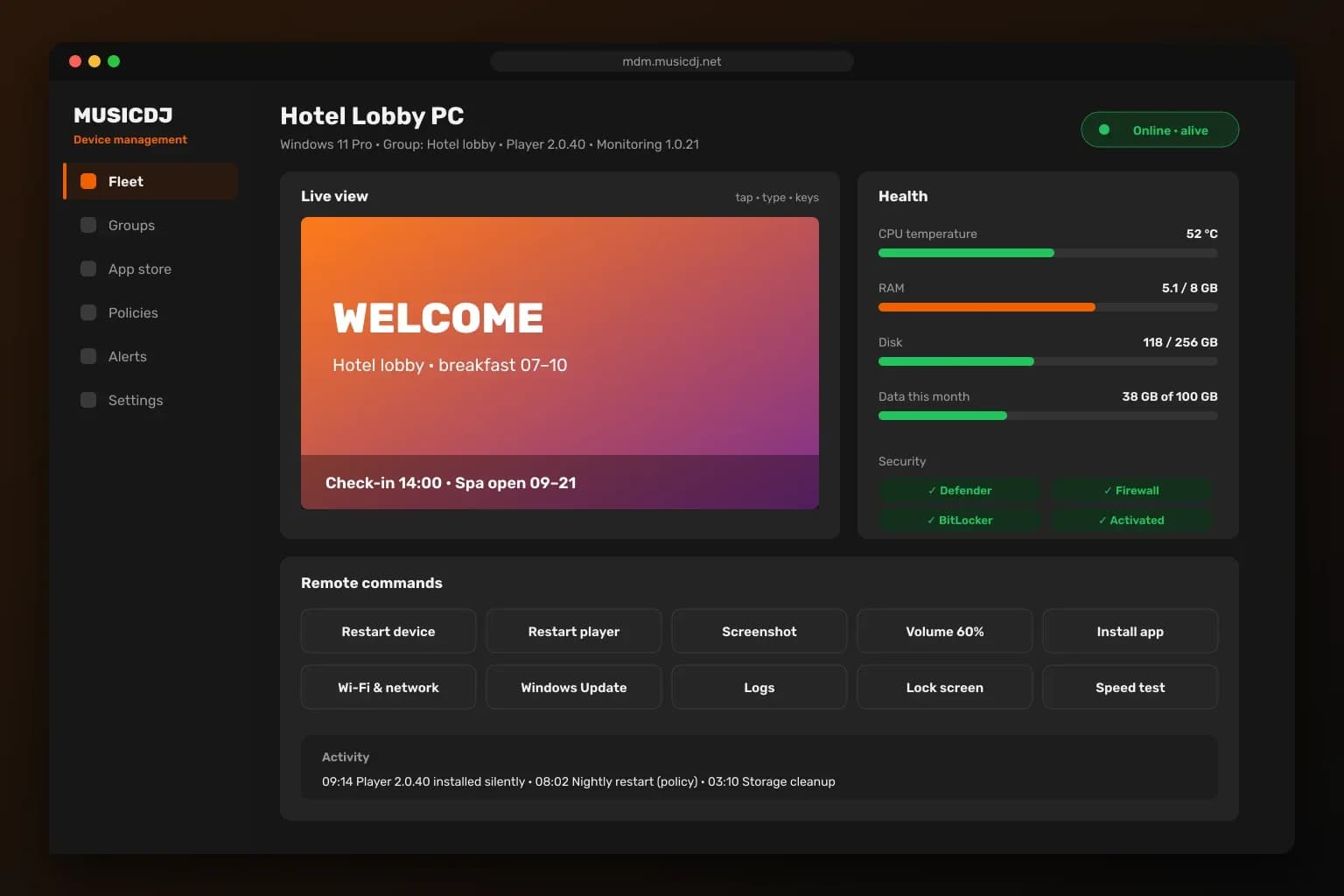
Open a device to see CPU temperature, RAM, disk and data usage, then act: restart the device or the player, open or close apps, set the volume, install or remove apps silently, take a screenshot, read logs, run a speed test or change Wi-Fi and static IP — with automatic rollback if the device loses its connection. Live view lets you see and control the screen right from the browser.
Silent updates from your own app store
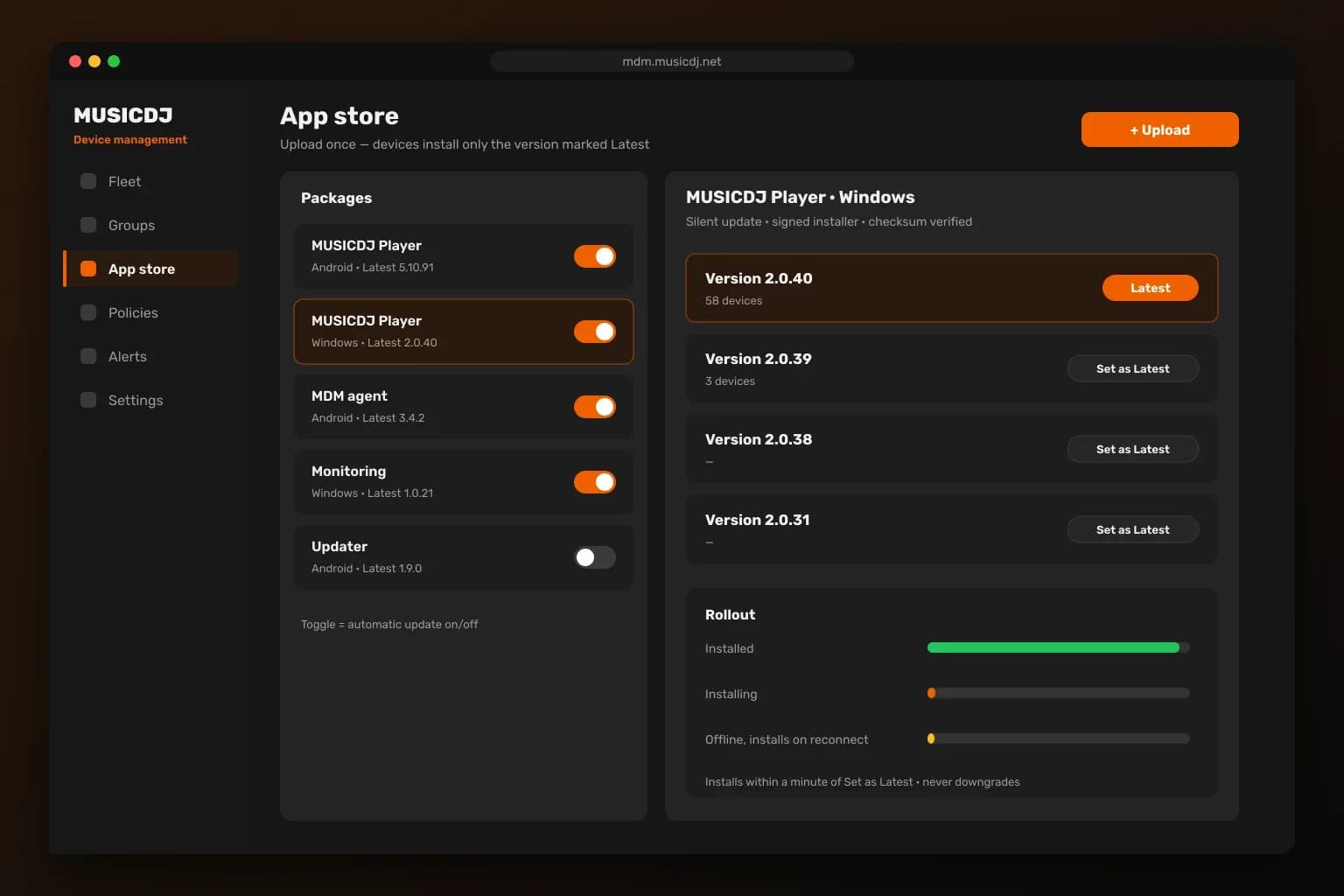
Upload a new player or app once and mark it as Latest — devices install it on their own, and an upload alone never changes anything. Each package has its own automatic-update switch. Windows installers are signed and checksum-verified, install within a minute of release and never roll back to an older version.
Group policies that enforce themselves
Set the rules per group once. The server checks every device every 10 minutes and puts it back in line.
Time zone and time format
Every screen shows the right local time.
Nightly restarts
Scheduled device and player restarts in a maintenance window (03:00–05:00 by default).
Storage cleanup
Free space is reclaimed automatically before it becomes a problem.
Screen orientation
Landscape or portrait, enforced per group.
Required apps
Devices always have the apps the group needs.
Wi-Fi settings
Network settings applied to the whole group.
Agents that keep players running
A small MUSICDJ agent on each device watches the player and carries out your commands.
Alerts before guests notice
Email alerts per group, sent to the people responsible for those screens.
Device offline
An email after 10, 15, 30 or 60 minutes without contact — your choice.
Back online
Optional email when the device reconnects.
Data limits
Warnings from 70 % of the monthly data limit and at 100 % for 4G locations.
Works with every MUSICDJ product
The same devices play your music, signage and jukebox — and MDM keeps all of them healthy.
Device management — FAQ
Which devices can MUSICDJ MDM manage?+
Android TV boxes, Android screens and Windows 10 or 11 PCs that run MUSICDJ players. Android and Windows devices appear in the same fleet list.
Is there a limit on the number of devices?+
No. MUSICDJ MDM has no device limit; groups, filters and policies keep large fleets easy to manage.
How do updates reach the devices?+
You mark a version as Latest in the app store and devices install it silently. Uploading alone changes nothing, and each package can have automatic updates switched off.
Can I see what is on a screen remotely?+
Yes. Take a screenshot or open live view to see the screen and control it with taps, typing and keys from your browser.
What happens if a player crashes?+
The MUSICDJ agent restarts it automatically — on Windows within a minute, on Android within two minutes.
How am I told when something is wrong?+
Email alerts per group when a device goes offline, when it comes back and when a monthly data limit is close.
Do I need the Windows Monitoring app?+
Yes, for full control of a Windows PC: health and security status, Windows Update, remote commands and silent player updates. Download it from the MUSICDJ download page.
Run every screen without site visits
Create a free account, connect your players and manage the whole fleet from one dashboard.