
What to Show on Restaurant TV Screens (Beyond the Menu)
Most restaurant screens cycle between a static menu slideshow and muted cable news. Here is how to build a scheduled, multi-layered content channel that drives upsells, reinforces brand identity, and runs without adding meaningful operational burden.
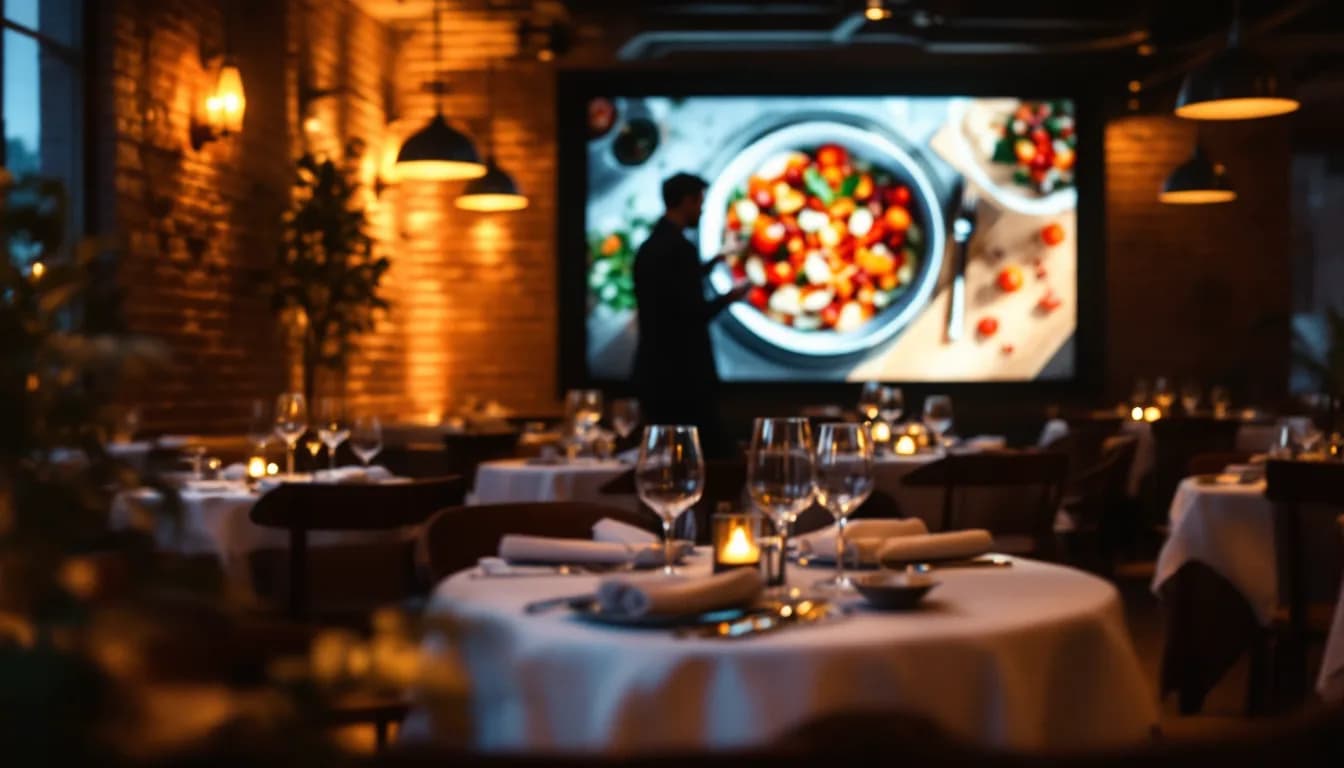
- —Restaurant TV screens are attention real estate — leaving them unmanaged has a real opportunity cost during dwell time your venue already paid for.
- —The Four-Layer Content Stack (Ambiance, Promotion, Information, Entertainment) gives every screen second a purpose and prevents content layers from competing with each other.
- —Day-parting and zone control convert a passive screen into a purposeful, revenue-contributing channel that runs without daily staff intervention.
- —AI-generated visuals solve the content production bottleneck that keeps most screens looping the same three slides for months on end.
- —Live TV belongs in the schedule as the Entertainment layer — not as the default state of every screen in the venue.
- —MUSICDJ Background Music is licensed for business streaming; venues remain separately responsible for their own local public-performance (PRO) fees to organisations such as SOKOJ, GEMA, PRS, SACEM, or ZAMP.
The Missed Opportunity Hanging on Your Restaurant Walls
Walk into most restaurants, bars, or cafés with screens installed and you will see one of three things: a static menu slideshow rotating every few seconds, a muted cable news channel with subtitles nobody reads, or a looped screensaver serving no discernible purpose. None of these are doing intentional work for the business.
That is a significant choice — even when it does not feel like one.
Every screen in your dining room, bar, or waiting area commands guest attention during a dwell period your operation already paid for. The rent, the fit-out, the staff covering the floor — that cost is sunk. The attention is happening regardless. What you choose to fill it with is the variable.
The core argument of this article is straightforward: restaurant TV screen content functions best as a scheduled, multi-layered content channel rather than an afterthought. Built correctly, it can drive incremental revenue through targeted upsells, reinforce brand identity in ways staff interaction cannot replicate, and deepen the guest experience — without adding meaningful operational burden.
What follows is a practical framework to get there: a four-layer content model, the scheduling logic behind it, zone-specific strategy, how AI-generated visuals solve the production problem, and where live TV actually belongs in the mix.
A Content Framework: The Four-Layer Content Stack
The structural backbone of a well-run screen channel is what we will call the Four-Layer Content Stack. Each layer serves a distinct guest moment and a distinct business purpose. Keeping the four layers from competing for airtime simultaneously is what separates a purposeful screen channel from a cluttered, easy-to-ignore slideshow.
Layer 1 — Ambiance
Ambiance content reinforces your venue's atmosphere and visual identity. Seasonal imagery, kitchen footage, local sourcing stories, abstract motion graphics, on-brand photography. This is the screen's default state: what plays between more active content layers, holding the mood when nothing else demands attention.
Layer 2 — Promotion
Promotional content covers high-margin specials, limited-time offers, cocktail and dessert upsells, loyalty programme reminders, and upcoming events. It is time-sensitive and service-period-specific. A brunch special has no business appearing at 9 p.m. This layer earns its place when it is precisely targeted — and undermines itself when it runs indiscriminately.
Layer 3 — Information
Information content addresses what guests need without their having to ask: the Wi-Fi password, a QR code linking to your QR digital menu and guest web app, your Google review page, an event schedule, or a now-playing music display. Low interruption, high utility.
Layer 4 — Entertainment
Live TV, curated sports coverage, or event-driven programming. Entertainment is not the default — it is the right tool in specific venue contexts, covered in detail later. Treating it as the fallback is the habit most restaurant screens need to break.
The Four-Layer Content Stack disciplines your content decisions. When every slide or segment belongs to a named layer, the screen always has a reason for existing. When content does not clearly belong to any layer, that is a reliable signal it should not be on screen at all.
Promotional Content That Moves High-Margin Items
Promotional content on restaurant screens is not digital advertising for its own sake. It is a structured prompt that reaches the guest at exactly the right moment in the dining journey, when a decision is still open.
Map your promotional content to the service window:
- Pre-order window — ideal for appetisers, chef's specials, and cocktails, before the main order is placed
- Mid-service lull — dessert and after-dinner drink upsells land here, as the main course clears
- Late-session window — loyalty programme sign-ups and next-visit incentives perform well when guests are settled and satisfied
Format matters as much as timing. In practice, a well-framed food photograph with a short descriptor and price consistently does more work than a paragraph of copy. AI-generated signage visuals keep imagery fresh without commissioning a photographer for every new special — operators can produce a polished promotional graphic for each weekly special directly within the platform.
Strong candidates for this content layer:
- Seasonal tasting menus and chef's specials
- Cocktail or wine of the week
- Limited-availability dishes
- Pre-fixe dinner options
- Upcoming ticketed events
One important discipline: if every second of screen time is a sales message, the effect inverts. Promotional content should occupy a defined, deliberate slice of the schedule, surrounded by ambiance and information layers. Guests who feel continuously sold at stop reading the screens entirely.
Brand Storytelling and Ambiance Visuals: What Screens Communicate That Staff Cannot
Every restaurant has a story — the provenance of its ingredients, a chef's background, a commitment to local sourcing, a neighbourhood connection — that rarely gets told in full during service. A server covering six tables cannot deliver a three-minute origin story about the heritage-breed pork on the menu. A screen running in the background can, consistently, across every service.
Types of brand storytelling content worth developing:
- Text-and-image narratives about where key produce comes from
- A profile of the head chef or kitchen team
- Behind-the-scenes kitchen imagery
- A partnership with a local farm, roastery, or winery
- The history of the building or neighbourhood
Ambiance visuals serve a subtler but equally important function: they set the mood, signal the establishment's tier, and make the physical space feel more considered. Seasonal motion graphics, abstract food photography, and curated colour palettes all contribute to perceived quality in ways that are difficult to articulate but straightforward to demonstrate.
AI-generated signage visuals allow operators to refresh ambiance imagery on a seasonal or weekly basis without a design budget, matching output to the venue's colour and tone parameters directly within the platform.
There is also a connective tissue effect worth noting: when the music programme, the visual content, and the menu tell a coherent story, the brand experience becomes unified rather than fragmented. MUSICDJ's per-zone music scheduling and Digital Signage products run from the same Backstage dashboard precisely because these channels are more powerful together than managed separately.
Licensing note: MUSICDJ Background Music is licensed for business streaming use. Venues remain separately responsible for paying their own local public-performance fees to the relevant performing rights organisation in their territory — such as SOKOJ, GEMA, PRS, SACEM, SGAE, SIAE, or ZAMP. MUSICDJ's licence does not replace or cover those obligations. CMS team: please render this paragraph as a visually distinct callout block — a bordered aside or highlighted info box — so it cannot be scanned past by readers moving quickly through the article.
Day-Parting and Zone Control: The Scheduling Backbone
Day-parting is the practice of automatically switching screen content to match the service period — breakfast, lunch, dinner, late night — without staff needing to touch the system. It is the single operational change that converts a screen from passive decoration to a purposeful channel.
A practical day-parting logic for a full-service restaurant:
- Morning — lighter, brighter ambiance content; breakfast or brunch promotions
- Lunch — efficient, value-led messaging; quicker specials and set menus
- Dinner — atmospheric content leaning into premium upsells and tasting menu features
- Late night — events, cocktails, dessert, and next-visit incentives
Zone control extends this logic spatially. The bar screen, the main dining room screen, and the waiting area screen serve guests in entirely different states of mind and at different stages of their visit. A guest waiting for a table needs different restaurant screen ideas than a guest midway through a main course.
Waiting area screens reduce perceived wait time by giving guests something purposeful to engage with — upcoming events, the QR digital menu and guest web app, Google review prompts, or a curated visual narrative about the venue.
Bar screens carry a higher tolerance for energy-driven content: cocktail promotions, live sports scheduling, event announcements, and happy-hour messaging are natural fits.
MUSICDJ's digital signage for restaurants supports per-zone playlist and scheduling management from a single Backstage dashboard. Operators set the schedule once; the system executes it without daily intervention.
AI-Generated Visuals: Solving the Content Production Problem
The most common reason restaurant screens stay blank, loop the same three slides for six months, or default to cable television is not a lack of intent. It is a lack of content. Producing fresh visual material has traditionally required a graphic designer, a photographer, or both — resources most independent operators do not have on tap.
MUSICDJ's AI-generated signage visuals generate promotional graphics, seasonal imagery, menu cards, and atmospheric visuals directly within the platform, using the venue's brand parameters. No external design workflow is required.
AI menu generation — also part of MUSICDJ's AI suite — allows operators to push updated menu content to screens quickly, keeping displayed specials accurate without manual slide editing.
A practical content refresh cadence:
- Seasonal — refresh ambiance visuals four times a year
- Weekly — generate a new promotional graphic for each week's special
- As needed — update menu visuals when pricing or availability changes
All of this is executable from within the dashboard, without leaving the platform to commission external assets. The production bottleneck was always the real reason restaurant promotional displays underperformed. Removing it makes the scheduling framework described above achievable for venues without a dedicated marketing team.
Live TV and IPTV: Knowing When Entertainment Belongs in the Mix
Live television has a legitimate and powerful role in specific restaurant and bar contexts — sports bars on match days, pub dining rooms during major tournaments, hotel restaurant lobbies where ambient television is an expected part of the experience. The mistake is treating it as the default rather than as one scheduled layer within the Four-Layer Content Stack.
MUSICDJ's IPTV product delivers live TV channels to venue screens, controlled from a mobile device. Operators can change channels and manage what plays across multiple screens without being tethered to a physical remote.
When live TV fits the mix:
- High-energy bar environments where guests explicitly come for sports or event viewing
- Lobby and hotel dining contexts where ambient television is an expected comfort
- Venues running a specific ticketed or themed event screening
When live TV undercuts the brand:
- Fine dining and premium casual venues where uncontrolled programming — news tickers, commercials, unpredictable content — disrupts a curated atmosphere
- Breakfast services where rolling news coverage creates an unintentionally anxious environment
- Any service period where the screen's primary job is to reinforce the brand, not compete with it
The scheduling principle holds even in sports-led venues: live TV should occupy defined windows in the content schedule. Outside those windows, the Four-Layer Content Stack governs the screen.
Building a Screen Content Strategy Without Adding Operational Overhead
The implicit objection most operators carry through this article is straightforward: 'This sounds like a lot of work.' It is worth addressing directly.
The operational burden of a well-run screen channel, when built on the right platform, is almost entirely front-loaded. The recurring maintenance is minimal.
The setup investment — done once:
- Define content zones across the venue
- Establish the day-parting schedule for each zone
- Create or generate the initial content library — ambiance visuals, promotional templates, information slides
The maintenance rhythm — recurring but light:
- Update promotional content when specials change — a few minutes using AI tools within the dashboard
- Refresh seasonal ambiance visuals four times a year
- Add event-specific content as it arises
None of this requires specialist skills or dedicated staff training. MUSICDJ's Backstage dashboard consolidates per-zone music scheduling, digital signage for restaurants, IPTV, and the QR digital menu and guest web app in a single interface. Operators already managing the music programme are in the same environment where screen content lives. No separate system to learn, no additional login to manage.
Restaurant digital signage content stops being a problem to ignore when it becomes a system to run. The framework exists. The tools to execute it without a production team exist. What most venues need is the decision to treat their screens as the asset they already are.
To explore how this applies to your specific venue, see digital signage for restaurants and AI-generated signage visuals, or go to /get-started to set up an account.
Static Screens vs. The Four-Layer Content Stack
| Dimension | Static Slides / Cable TV | Four-Layer Content Stack |
|---|---|---|
| Content control | None — cable plays what it plays; slides loop unattended | Full — every zone, every service period, and every layer is scheduled in advance |
| Promotional value | Zero — content is not mapped to the service window or high-margin items | Direct — upsell prompts are timed to the pre-order, mid-service, and late-session windows |
| Brand consistency | Low — unrelated programming or generic slides undermine the venue aesthetic | High — ambiance visuals, music scheduling, and signage tell a single coherent brand story |
| Content freshness | Requires manual slide editing; commonly neglected for months at a time | AI tools allow weekly or seasonal refreshes from within the dashboard, no external workflow |
| Zone and timing logic | None — all screens typically show identical content at all times | Per-zone playlists and day-parting schedules run automatically once configured |
| Ongoing operational burden | Low but inert — nothing is actively managed or earning its place | Low — setup is front-loaded; recurring maintenance is light and requires no specialist skills |
Frequently asked questions
What is the best restaurant TV screen content beyond a static menu?
The most effective approach is a layered content strategy rather than a single content type. The Four-Layer Content Stack — Ambiance, Promotion, Information, and Entertainment — gives every screen second a purpose. Ambiance visuals run as the default state; promotional content targets high-margin items during the relevant service window; information content (Wi-Fi, QR menus, Google review prompts) serves utility needs; and entertainment such as live TV is reserved for venues and time windows where it genuinely fits the concept.
How often should restaurant digital signage content be updated?
A practical cadence for most full-service restaurants: refresh ambiance visuals seasonally (four times a year), update promotional graphics weekly or whenever specials change, and revise menu content whenever pricing or availability shifts. MUSICDJ's AI tools make all of this executable from within the dashboard without external design work, which is what makes the cadence realistic for venues without a marketing team.
Does MUSICDJ's background music licence cover my venue's public performance fees?
No. MUSICDJ Background Music is licensed for business streaming use, which covers the digital transmission of music through the platform. Your venue remains separately responsible for paying its own local public-performance fees to the relevant performing rights organisation in your territory — such as SOKOJ, GEMA, PRS, SACEM, SGAE, SIAE, ZAMP, or the equivalent body in your country. These are two distinct obligations, and MUSICDJ's licence does not replace or fulfil the venue's PRO responsibility.
What is day-parting and how does it work for restaurant screens?
Day-parting is the automatic switching of screen content to match the current service period — morning, lunch, dinner, late night — without any staff intervention. You configure the schedule once in the Backstage dashboard: which content plays in which zone during which hours. The system then executes that schedule every day automatically. A brunch promotion active at 10 a.m. does not appear at 9 p.m.; a cocktail upsell activates precisely when the dinner service begins.
Can I manage music scheduling and digital signage from the same platform?
Yes. MUSICDJ's Backstage dashboard consolidates Background Music scheduling, Digital Signage content, IPTV, and the CONNECT QR guest tools in one interface. Operators already managing per-zone music playlists and day-parting schedules are in the same environment where screen content is built, scheduled, and updated — no separate system, no additional login.
Turn Your Restaurant Screens Into a Purposeful Content Channel
MUSICDJ Digital Signage and AI tools give you per-zone scheduling, AI-generated visuals, and a unified Backstage dashboard — so your screens do intentional work during every service, without adding operational burden to your team.
Explore Digital Signage for Restaurants