
Digital Signage for Restaurants: Menus, Promotions and Screens
A practical, honest guide for restaurant operators on how digital signage lifts menu clarity, promotional impact and operational efficiency — and what to look for in a platform before committing.
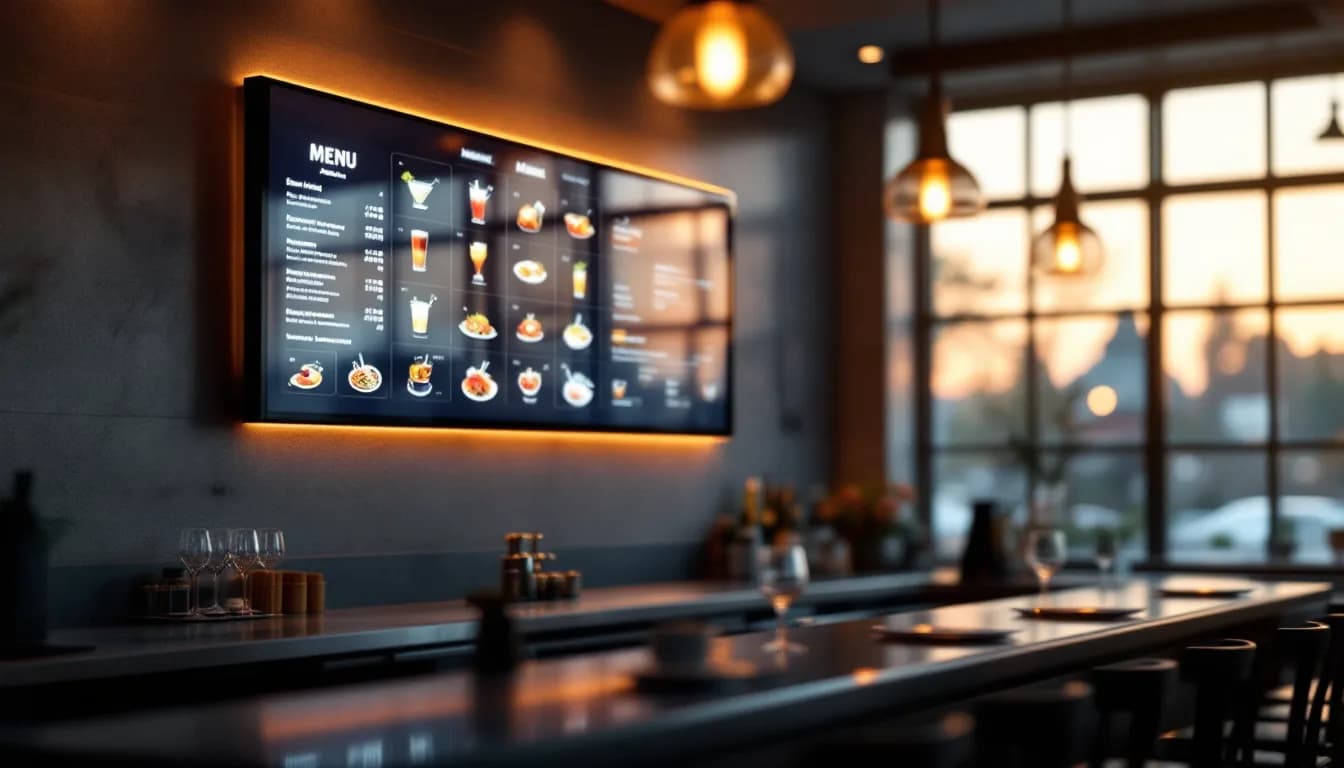
- —Digital signage for restaurants is a display and scheduling system — it amplifies good menu strategy but does not replace clear pricing, quality food photography, or attentive staff.
- —Day-parting and zone management are the two features that separate a genuinely useful platform from a glorified slideshow tool.
- —AI-generated visuals lower the barrier to keeping content fresh, but professional photography remains essential for hero menu items.
- —Managing signage, background music, and guest-facing digital menus from a single platform reduces operational overhead significantly for independent and multi-site operators alike.
- —The venue's public-performance licence (PRO/collecting society obligation) is separate from any music streaming licence — this remains the operator's own responsibility regardless of which platform is used.
- —Content staleness is the most common failure mode of digital signage deployments; build a regular refresh cadence into operations before go-live, not after.
What Digital Signage for Restaurants Actually Does (And What It Does Not)
Digital signage for restaurants means networked screens — menu boards, promotional displays, ambient brand visuals — managed centrally from a dashboard rather than printed, laminated, or hand-written. Content is created once, scheduled to appear on the right screen at the right time, and updated remotely whenever something changes.
The core value proposition is straightforward:
- Faster updates. A price change, a sold-out dish, or a last-minute special can be live on every screen in seconds.
- Reduced print costs. Design fees, print runs, and the labour of physical replacement add up quietly over a year.
- Sharper promotional timing. A happy-hour offer can appear at 4 p.m. and disappear at 7 p.m. without anyone touching the screen.
- Consistent guest experience. Every screen in the venue shows the current, correct version of your menu and messaging.
What digital signage does not do is equally important to understand before committing to a platform. It is not a point-of-sale system, not an ordering system, and not a substitute for well-trained staff. It is a display and scheduling layer. The technology amplifies a good menu strategy and strong visuals — it does not fix unclear pricing, poor food photography, or promotions that guests have no reason to care about.
The content types a restaurant typically runs across its screens include static menu boards, rotating daily specials, happy-hour countdowns, event announcements, and seasonal promotional visuals. On platforms like MUSICDJ, digital signage and background music for restaurants run from the same dashboard, giving operators a single point of control for both the visual and audio environment — a meaningful operational simplification.
The Business Case: Why Restaurant Operators Are Moving Away from Static Menus
Print menus and static boards carry costs that are easy to underestimate until you total them across a year. Design fees, print runs, the disposal of outdated stock, and the staff time spent physically swapping boards every time a price or item changes all contribute to a recurring overhead that most operators accept without scrutiny.
The speed-of-change argument is where the business case becomes most concrete. An ingredient shortage that forces a menu substitution, a supplier price increase that requires a price adjustment, or a daily special decided at 10 a.m. for a noon service — all of these are handled in seconds with a digital board and in hours (or days) with print.
Studies on retail and hospitality atmospherics consistently suggest that well-placed, well-timed visual messaging influences purchasing decisions at the point of consideration. The menu board moment — when a guest is actively deciding what to order — is one of the highest-leverage touchpoints in the entire service experience. A clear, current, well-designed board that surfaces the right item at the right moment is a sales tool, not just an information display.
The promotional agility argument is particularly relevant for bars and casual dining venues. A bar that wants to push a specific cocktail at 5 p.m. and a dessert pairing at 8 p.m. can schedule both in advance without any staff intervention. The gap between marketing intent and execution — which in a print environment requires briefing staff, printing inserts, and hoping the update actually happens — closes entirely.
For restaurant groups with multiple sites, the consistency argument is compelling. A unified campaign can be pushed to all screens simultaneously from a central dashboard, ensuring brand standards are met without relying on each site manager to update boards manually. One version of the truth, everywhere, at once.
Operators who have moved to digital signage generally report that the payback period is short relative to cumulative print and design savings, though the exact figure depends on venue size, how frequently the menu changes, and how actively the promotional scheduling is used. The honest answer is that the savings are real but variable — calculate your own print spend before assuming a number.
Menu Boards: Designing for Clarity, Not Just Aesthetics
The primary job of a restaurant digital menu board is legibility and decision support. A guest should be able to read, understand, and choose within a few seconds of approaching the screen. Everything else — brand personality, visual style, photography — serves that primary function.
Layout principles that translate well to digital
- Clear category hierarchy. Group items logically and make the structure scannable at a glance.
- Sufficient font size for ambient conditions. What reads clearly on a laptop in a quiet office may be illegible on a screen mounted above a busy bar.
- High contrast between text and background. Low-contrast combinations look sophisticated in mockups and fail in practice under restaurant lighting.
- Deliberate use of white space. Density is the enemy of fast decision-making.
One of the most common mistakes operators make is replicating a printed menu verbatim on a digital screen. Print menus are designed to be held and read at close range. Digital menu boards are scanned from a distance, often while standing, often in a noisy environment. Screens reward concise, scannable content organised around guest decisions — not exhaustive item lists with full ingredient descriptions.
Photography and AI-generated visuals
High-quality food imagery increases the perceived value of dishes and can steer guests toward higher-margin items. The inverse is equally true: low-quality images — poorly lit, blurry, or inconsistent in style — reduce perceived quality across the entire menu. Invest in the photography assets before deploying the screens.
For content that needs to move faster than a photography shoot allows — daily specials, seasonal additions, event-specific promotions — AI-generated visuals and menu content offer a practical shortcut. MUSICDJ's AI tools can produce signage visuals without a full design workflow, which is useful when speed matters more than bespoke photography. The honest assessment: AI visuals are appropriate for the long tail of content; professional photography remains essential for hero items and brand-defining campaigns.
Zone-specific menus and accessibility
A restaurant with a bar area, a main dining room, and a terrace may need different menu content on each set of screens. A capable digital signage platform allows per-zone scheduling, so the bar screen shows cocktails and spirits while the dining room screens show the full food menu. This is not a luxury feature — it is basic operational logic.
Accessibility is worth explicit attention. Font size, contrast ratios, and the reading time allocated per slide all affect whether guests with visual impairments or cognitive differences can use the board effectively. Build accessibility checks into the content review process, not as an afterthought.
Promotions and Day-Parting: Making Every Hour of Service Work Harder
Day-parting is the practice of scheduling different content to appear at different times of day. It is the feature that transforms a static menu board into a dynamic sales tool, and it is the single most underused capability in most restaurant signage deployments.
Practical day-parting examples
- Breakfast specials visible only until 11 a.m.
- A lunch deal that appears at noon and clears at 3 p.m.
- A happy-hour promotion that triggers at 4 p.m. and disappears at 7 p.m.
- A dessert and digestif push during the post-dinner window.
The scheduler in MUSICDJ's Digital Signage product handles this automatically once configured. Operators set the rules once; the screens execute without daily manual intervention. The discipline required is in the setup, not in the ongoing operation.
Event-based and seasonal content
A restaurant hosting a live music night, a sports screening, or a private dining event can schedule venue-specific promotional slides to appear on the relevant date without affecting the standard rotation. Updating a digital board for a Valentine's menu or a summer terrace launch takes minutes rather than the days a print run requires — which matters increasingly as guests make shorter-notice booking decisions.
Upsell placement and attention windows
The moment a guest is waiting — at the bar, in a queue, or between courses — is an opportunity to surface high-margin items, add-ons, or upcoming events. Digital signage is the most cost-effective way to occupy that attention constructively. The key is focus: a tight rotation of three to five well-chosen messages outperforms a cluttered twenty-slide deck that takes four minutes to cycle through. Most guests will not wait for slide seventeen.
Measuring promotional effectiveness
Digital signage itself does not provide sales attribution data. The honest approach is to compare POS sales of promoted items during and outside promotion windows to assess lift. It is a simple method, but it is the right one — and it builds the internal evidence base for investing further in the channel.
Zone Management and Multi-Screen Control: Running a Whole Venue from One Dashboard
A restaurant typically has multiple screen locations with different purposes: entrance and waiting area, bar, main dining room, outdoor terrace, kitchen pass, and corridors. Each warrants different content, and managing them as a unified system rather than as independent screens is where the operational efficiency of digital signage becomes most apparent.
Zone logic in practice
- Entrance screen: today's specials, upcoming events, wait time information.
- Bar screen: cocktail and drinks menu, happy-hour promotions, sports fixture listings.
- Dining room screens: full food menu, seasonal messaging, brand imagery.
- Kitchen pass screen: order flow information or staff-facing operational content.
MUSICDJ manages all of this from a single dashboard called Backstage. Zone assignments, content playlists, and scheduling rules are configured once and run automatically — the operator is not managing individual screens but managing a content system.
Multi-location restaurant groups
For groups with several sites, centralised control is the primary argument for investing in a proper platform rather than a consumer-grade solution. A head-office marketing team can push a unified campaign to all venues simultaneously while individual site managers retain the ability to add local content. Brand standards are enforced by default rather than by hope.
Hardware and remote management
A platform that runs on Android and Windows devices gives operators flexibility to use existing screens and media players rather than being locked into proprietary hardware. The ability to update content from a phone or web browser means a pricing error can be corrected or a sold-out item pulled from the board without anyone being physically present in the venue.
Offline resilience deserves specific attention during platform evaluation. Content should continue playing from a local cache if the internet connection drops. A screen going blank during a busy Friday dinner service is a guest experience failure and a credibility problem. Confirm this capability before committing to a platform.
AI-Generated Visuals and Menu Content: Where the Technology Genuinely Helps
AI tools within signage platforms can generate promotional visuals from a text prompt. The practical workflow on MUSICDJ is straightforward: an operator types a brief description of a daily special, the AI generates a visual, the operator reviews it and schedules it to the relevant zone for the relevant time window. The entire process can take under five minutes.
MUSICDJ's AI capabilities include signage visual generation and AI menu generation — the latter helps structure and populate menu content for display without starting from a blank template. Both tools address the same underlying problem: content creation is the bottleneck that causes digital signage deployments to go stale.
Where AI genuinely helps and where it does not
AI visuals are a practical shortcut for speed and volume. They are appropriate for daily specials, seasonal campaigns, and event announcements where a designer is not available or the turnaround is too short for a proper shoot. They are not a replacement for professional food photography on hero items, nor for the considered visual identity work that defines a brand.
Use AI for the long tail of content — the rotating specials, the weekly promotions, the event slides. Use professional assets for the front of the menu and the brand-defining moments.
AI jingles and the audio dimension
For restaurants that also use background music through the same platform, AI-generated jingles can be inserted into the music stream as branded audio identifiers. It is a small touchpoint, but a distinctive one — particularly for venues that want their audio environment to feel curated rather than generic.
Content freshness is the most common failure mode of digital signage deployments. Screens showing last season's promotion or a Christmas menu in spring damage credibility more than no screen at all. AI generation tools lower the barrier to creating new content regularly, which is the most practical solution to the staleness problem.
Integrating Digital Signage with Background Music and Guest-Facing Tools
A restaurant's atmosphere is the sum of its visual and audio environment. Managing both from the same platform creates coherence — the music and the screens feel like parts of a single, intentional experience — and reduces the number of vendor relationships an operator must maintain.
Background music and licensing clarity
MUSICDJ's background music for restaurants provides licensed streaming music for business use, with per-zone playlists, day-parting, and a scheduler. The same scheduling logic that governs signage content governs music mood, so a lunch service and a dinner service feel intentionally different without manual intervention.
A critical point on licensing: MUSICDJ's music is licensed for business streaming use, but the venue remains responsible for its own local public-performance licence — the fee paid to the relevant PRO or collecting society in the operator's territory (SOKOJ, GEMA, SACEM, PRS, SIAE, SGAE, ZAMP, or equivalent). This is a separate legal obligation that MUSICDJ does not cover or replace. Any operator using background music in a public-facing venue needs to hold the appropriate licence from their local collecting society, regardless of which streaming platform they use.
CONNECT: the guest-facing digital layer
MUSICDJ's digital menu and guest app complements in-venue signage by giving guests a no-download web experience — accessible via QR code — that shows the current menu, enables Google review prompts, and displays now-playing track information. It extends the digital experience to the guest's own device without requiring an app download.
PayPlay, part of CONNECT, is a paid guest song jukebox that allows guests to request tracks. It adds an interactive and revenue-generating layer to the music environment without requiring staff involvement — a practical addition for bars and casual dining venues where music is part of the draw.
IPTV
For restaurants that screen live sport or news, MUSICDJ's IPTV product allows live TV to be controlled from a phone and displayed on venue screens, managed from the same Backstage dashboard as signage and music. For operators who currently manage screens, music, and TV through separate systems and separate support contacts, the consolidation argument is straightforward.
What to Look for in a Digital Signage Platform Before Committing
The market for restaurant screen management software ranges from basic slideshow tools to full-featured venue platforms. The following criteria are the ones that separate platforms that get used from platforms that get abandoned.
Non-negotiable capabilities
- Ease of content creation. Can a non-designer create and schedule a new menu item or promotion in under ten minutes? If the answer requires a developer or a support ticket, the platform will be chronically underused.
- Scheduling depth. Day-parting, date-specific scheduling, and zone-level control are not premium features — they are the baseline for a restaurant with variable service periods.
- Hardware flexibility. Platforms that run on Android, Windows, and web players allow operators to use existing screens and avoid proprietary hardware lock-in.
- Remote management. The ability to update content from a mobile device or web browser is essential for operators who manage multiple sites or are not always on-premises.
- Offline resilience. Content must continue to play from a local cache if the internet connection is interrupted. Confirm this in the trial before committing.
Features that add meaningful value
- AI and content tools. Built-in AI visual generation and menu generation reduce the ongoing effort of keeping content fresh.
- Integration with other venue systems. A platform that also handles background music, IPTV, and guest-facing apps eliminates multiple vendor relationships.
- Support during service hours. Independent restaurant operators do not have AV technicians on staff. Evaluate response times and support availability against your actual service hours, not standard business hours.
Pricing and commitment terms
Understand whether pricing is per screen, per zone, per location, or a flat platform fee — and whether there are setup costs, hardware costs, or content library fees on top of the subscription. View pricing for MUSICDJ's Digital Signage product to understand the structure before beginning a trial.
A reputable platform will offer a trial period or a clear cancellation policy. Be cautious of long minimum commitments before you have validated the platform in your specific environment.
Common Mistakes Restaurants Make with Digital Signage (And How to Avoid Them)
Most digital signage deployments that underperform fail for operational reasons, not technical ones. The following mistakes are the most frequent.
- Replicating the print menu verbatim. Screens require shorter text, larger fonts, and a faster reading pace than a folded menu card. Redesign the content for the medium, not just the delivery channel.
- Deploying without a content update plan. Screens showing a promotion from three months ago damage credibility more than no screen at all. Decide before go-live how often content will be reviewed and who is responsible.
- Overloading the rotation. A guest at the bar has limited attention. Three to five focused, relevant messages outperform a twenty-slide deck that takes four minutes to cycle through.
- Neglecting screen placement. A screen mounted too high, too far from the decision point, or behind a glare source will be ignored regardless of content quality. Walk the venue as a guest before finalising mounting positions.
- Assuming the platform handles public-performance licensing. As noted above, the venue's PRO obligation is separate and remains the operator's responsibility.
- Skipping the on-screen test. Colours, fonts, and layouts that look correct on a laptop monitor often render differently on a commercial display under ambient restaurant lighting. Test on the actual hardware before going live.
- Ignoring the maintenance dimension. Screens, media players, and network connections require periodic attention. A simple check at opening — confirming all screens are displaying correctly — prevents guest-facing failures from going unnoticed.
Getting Started: A Practical Implementation Path for Restaurant Operators
A structured approach to deployment prevents the most common failure modes and shortens the time to a working, well-used system.
The eight-step path
- Audit current signage. List every screen location in the venue, note its current purpose and content source, and assess honestly whether it is serving guests effectively at each service period.
- Define content zones. Group screens by function — menu board, bar promotion, entrance display, ambient — and define what content each zone needs and when.
- Inventory your assets. Identify what photography, brand assets, and menu data you already have in digital form. This determines how much content creation work precedes launch.
- Select a platform and trial it. Use the criteria above to shortlist platforms. Request a trial and test the content creation workflow, scheduling, and remote management with your actual menu and promotional content — not demo content.
- Design for the screen. Work with the platform's templates or AI tools to create content that is legible, on-brand, and appropriately concise. Resist the urge to replicate print layouts.
- Configure zones and schedules. Set up day-parting rules, zone assignments, and any date-specific promotions before go-live. Test every zone at every scheduled time window.
- Train the team. Ensure at least two people on the team can update content, add a promotion, and troubleshoot a screen that is not displaying correctly. Single-person dependency is a fragility that will surface at the worst possible moment.
- Establish a content refresh cadence. Decide how often menu content, promotional slides, and seasonal messaging will be reviewed and updated — monthly at minimum, weekly for venues with active promotional programmes.
Operators ready to evaluate MUSICDJ's Digital Signage product can start at /solutions/digital-signage or go directly to the get started page for a platform trial.
Static Menu Boards vs. Digital Signage for Restaurants
| Dimension | Static / Print Menu Boards | Restaurant Digital Menu Boards |
|---|---|---|
| Content update speed | Hours to days (design, print, physical swap) | Seconds to minutes from any device |
| Cost per update | Design fee + print cost + disposal | Included in platform subscription |
| Day-parting / time-based content | Not possible without separate physical boards | Automated via scheduler once configured |
| Multi-location consistency | Relies on each site manager updating manually | Central push to all screens simultaneously |
| Promotional agility | Lead time of days; no last-minute changes | Same-day or scheduled-in-advance changes |
| Zone-specific content | Requires separate printed materials per area | Per-zone playlists managed from one dashboard |
| AI-generated visuals | Not applicable | Available within platform for fast content creation |
| Offline resilience | Always available (physical) | Requires local cache playback — confirm before buying |
| Ongoing maintenance | Physical replacement; no remote option | Remote updates; requires network and device uptime |
| Environmental / waste impact | Paper and print waste on every menu change | No physical waste after initial hardware install |
Frequently asked questions
Does digital signage software for restaurants include music licensing?
No, and this distinction matters. A platform like MUSICDJ provides music that is licensed for business streaming use, but the venue is still required to hold its own public-performance licence from the relevant collecting society in its territory — SOKOJ, GEMA, SACEM, PRS, SIAE, SGAE, ZAMP, or the local equivalent. This is a separate legal obligation that no streaming platform removes. If you are unsure whether your venue holds the correct licence, contact your national PRO directly.
What hardware do I need to run restaurant digital menu boards?
MUSICDJ's Digital Signage runs on Android and Windows devices, as well as web players, which means you can use existing commercial screens with a compatible media player rather than purchasing proprietary hardware. The key requirements are a stable network connection, a compatible player device, and screens positioned at appropriate viewing distances and angles for your venue layout.
How often should I update content on my restaurant's digital signage?
At a minimum, review all screen content monthly to remove outdated promotions, update seasonal items, and check that pricing is current. For venues with active promotional programmes — daily specials, weekly events, rotating cocktail menus — a weekly content review is more appropriate. The most common failure mode of digital signage deployments is content staleness, which damages credibility with returning guests. Build the refresh cadence into your operations before go-live.
Can I manage digital signage and background music from the same platform?
Yes, if you use a platform designed for unified venue management. MUSICDJ's Backstage dashboard controls Digital Signage, Background Music, IPTV, and the CONNECT guest app from a single interface. This reduces the number of logins, vendor relationships, and support contacts an operator needs to maintain — which is a meaningful operational benefit for independent venues without dedicated IT or AV staff.
What is day-parting and why does it matter for restaurant promotional screens?
Day-parting is the scheduling of different content to appear at different times of day. For a restaurant, this means breakfast specials are visible only during the morning service, a lunch deal appears at noon, a happy-hour promotion runs from 4 p.m. to 7 p.m., and a dessert push appears in the post-dinner window — all automatically, without staff intervention. It is the feature that makes a digital menu board a dynamic sales tool rather than a static display, and it should be treated as a non-negotiable capability when evaluating any platform.
Is a QR digital menu the same as digital signage?
No. Digital signage refers to screens mounted in the venue displaying content to guests. A QR digital menu — such as MUSICDJ's CONNECT product — is a guest-facing web app accessed via QR code on the guest's own device, showing the current menu, enabling Google review prompts, and displaying now-playing information. The two are complementary: in-venue screens address the ambient and decision-point experience, while the QR menu extends the digital experience to the guest's phone without requiring an app download.
Ready to Upgrade Your Restaurant's Screen Strategy?
MUSICDJ's Digital Signage product gives restaurant operators per-zone menu boards, automated day-parting, AI-generated visuals, and remote management from a single dashboard — alongside background music, IPTV, and a guest-facing digital menu, all from one platform. Start a trial and test it with your actual menu and promotional content before committing.
Get Started