
How to Collect More Google Reviews With a QR Code at the Table
The QR code a guest scans for your digital menu is already the highest-leverage Google review touchpoint in your venue — no new device, no app download, no additional channel required. Grounded in the peak-end rule and the intent-action gap, this guide walks restaurant and café operators through configuring, placing, and activating a review QR code at the table.
- —The table QR code is the highest-leverage review touchpoint because it reaches guests at peak satisfaction with no new device, no app, and no additional channel.
- —The peak-end rule and the intent-action gap explain why timing and immediacy matter more than the medium used to request a review.
- —A dynamic QR code linked to a managed guest app allows destination updates without reprinting any physical material.
- —Review gating — filtering guests before sending them to Google — violates Google's review policies and risks profile suspension or review removal.
- —Evidence from hospitality training practice suggests conversion rises when a staff member references the code at the bill moment; a single natural sentence is sufficient.
- —Track QR scan volume separately from published review count to identify exactly where guests are dropping off in the journey.
Why the Table QR Code Is the Highest-Leverage Review Touchpoint in Your Venue
Behavioural research on guest experience points to something restaurant operators can act on immediately: people evaluate a visit most strongly at its emotional peak and at the moment it closes — a principle known as the peak-end rule. Pair that insight with the narrowness of the window in which review intent is highest, and the implication for where to place your Google review ask becomes precise. The table QR code — already in a guest's hand to access the digital menu — sits exactly at that moment, with no new device, no app download, and no additional channel to manage.
Contrast this with the other methods operators typically rely on. Email follow-ups arrive hours or days after the visit, when emotional recall has faded and competing priorities have taken over. Verbal requests at the till can be effective when delivered well, but consistency depends on staff confidence and varies shift to shift. Printed receipts carry review prompts that most guests pocket without reading. Social media prompts require the guest to switch context entirely, locate the listing, and remember why they wanted to write something.
Each of those methods inserts friction between a satisfied guest and a published review. The table QR code removes that friction by collapsing the distance between peak satisfaction and the action itself — no search, no app, no delay.
One QR code can serve multiple guest moments within a single visit: menu browsing on arrival, checking specials mid-meal, settling the bill, and leaving a Google review on the way out. Each moment is layered into one scan, making the touchpoint productive across the entire stay without introducing anything new.
This article walks restaurant and café operators through the psychology behind the review moment, the practical steps to configure and place a restaurant review request QR code, and how to measure whether it is working.
The Guest Psychology Behind the Review Moment
The peak-end rule — the tendency to evaluate an experience by its emotional high point and final moments rather than an average across the whole — has clear implications for hospitality. A well-executed dessert, a warm farewell from a server, or a smooth and frictionless bill moment can lift review likelihood far more than a competent but unremarkable two-hour meal.
The review window that follows is narrow. Within minutes of a positive peak, motivation is high and recall is vivid. Within a few hours, competing tasks take over and the impulse fades without the guest consciously noticing it has gone. A table QR code places the ask precisely within that window — during the post-meal linger or while the guest waits for the bill — without requiring any staff member to initiate a conversation that can feel awkward when handled poorly.
There is a well-observed gap between intention and action in guest behaviour. Most satisfied diners sincerely intend to leave a review at some point. The problem is that 'some point' rarely arrives. The QR code removes the exit ramp of 'I will do it later' by making the action immediate, browser-based, and completable in under a minute.
Behavioural priming reinforces this. A guest who has already scanned the same code to view the menu has demonstrated willingness to engage with it. The cognitive effort required for a second scan — this time to leave a review — is meaningfully lower than any cold ask from a separate channel.
How a Digital Menu QR Code Doubles as a Google Review Gateway
A digital menu and guest web app for restaurants works by opening a page directly in the guest's phone browser — no download required. That page is under the venue's control: what content appears, in what order, and what actions are available.
The same branded guest page that displays the menu can surface a prominent Google review button at a logical position in the page hierarchy — as a persistent element throughout the session, or triggered at a natural moment in the guest journey, such as after the menu has been browsed or when the bill section is opened.
Ambient elements on the same page contribute indirectly. A now-playing display showing the current track reinforces the positive sensory environment most associated with spontaneous review behaviour. Guests in an actively good experience are more receptive to acting on it.
The operational advantage of this approach is frequently underappreciated. Because the guest page lives in a browser rather than on printed material, the venue can update the review call-to-action, adjust copy for seasonal campaigns, or correct the linked Google place URL at any time from the management dashboard — without reprinting a single QR code.
MUSICDJ CONNECT is a ready-built implementation of this model: a no-download guest web app with a digital menu, Google review link, and now-playing display, all managed from the Backstage dashboard. Operators who want to explore it can visit /solutions/connect.
Step-by-Step: Creating and Configuring Your QR Code Google Review Link
Step 1 — Claim and verify your Google Business Profile. An unverified listing cannot collect reviews and will not display them publicly. Complete verification before anything else.
Step 2 — Generate your unique Google review short link. Inside Google Business Profile, navigate to the 'Ask for reviews' section. The link generated there bypasses the search step and drops guests directly onto the star-rating and review form.
Step 3 — Choose your delivery mechanism. A standalone QR code linking directly to the Google review URL offers maximum simplicity. A QR code linking to a branded digital menu page that includes a review button keeps branding consistent and allows future destination changes without reprinting.
Step 4 — Generate a dynamic QR code rather than a static one. A dynamic code stores the destination URL server-side. If the Google place ID or short URL ever changes, the destination can be corrected without replacing any printed material.
Step 5 — Test across devices before printing. Confirm the review form loads cleanly on iOS Safari, Android Chrome, and at least one mid-range Android device. Validate both the scan and the destination page under real-world conditions, including low-light settings.
Step 6 — For MUSICDJ CONNECT users. Configure the Google review link within the Backstage dashboard. The link appears on the guest web app alongside the menu; no separate QR code or standalone landing page is required.
Placement and Design: Putting the QR Code Where It Will Convert
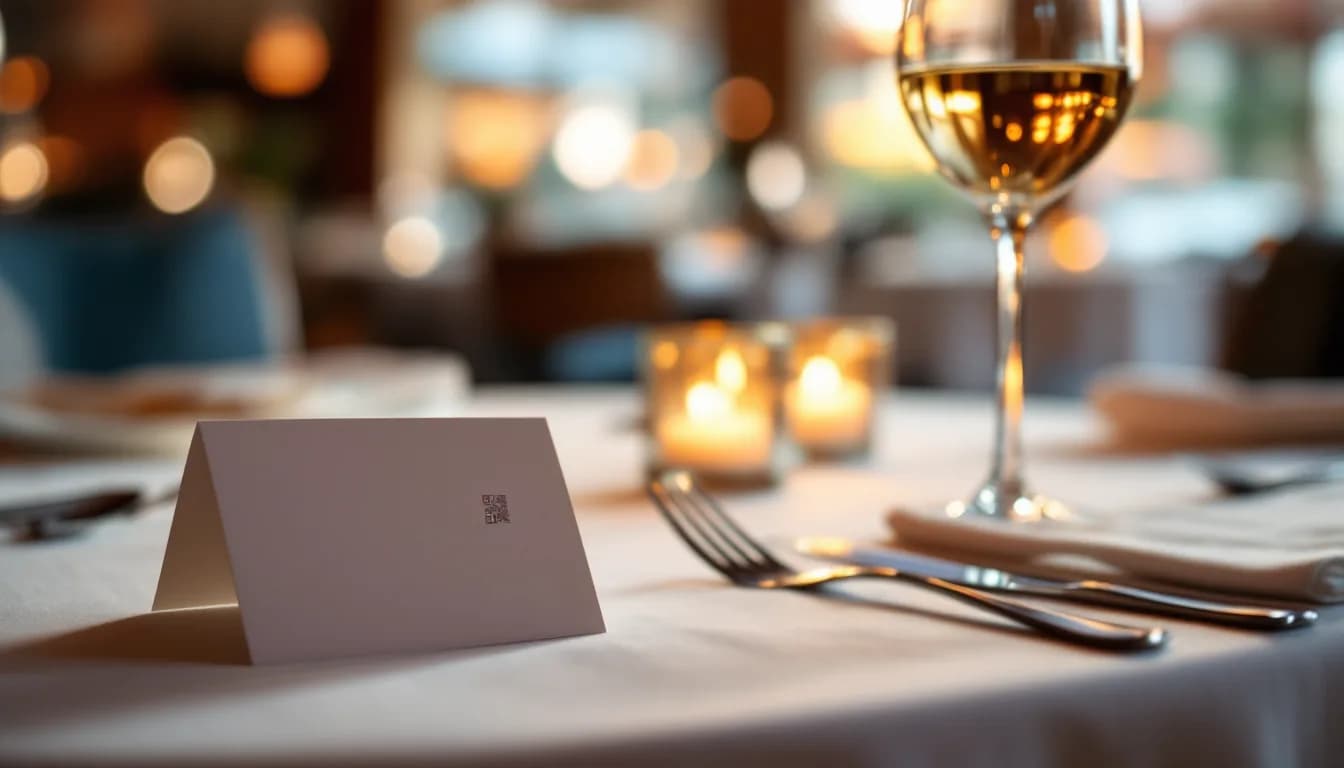
Primary placement is a tent card or table talker at the centre or edge of each table. It remains visible throughout the meal and is most actionable during the post-meal moment when the guest is still seated and satisfied.
Secondary placements worth layering in:
- Inside the physical bill folder, where timing aligns closely with review intent
- On the back of a paper receipt
- On a branded table mat for venues that use them
- As a screen element on in-venue digital signage near the exit or bar area
Technical requirements: the printed code must be large enough to scan at arm's length — a practical minimum is three centimetres square — and surrounded by a clear quiet zone of at least four module widths on all sides to prevent failures on older devices or in low-light dining rooms.
Copy that converts: pair the code with a short, direct instruction. 'Scan to share your experience on Google' is actionable. A timing cue — 'Loved your meal? Scan now while it is fresh' — nudges immediate action over deferred intent.
Brand consistency: match the supporting card to the venue's logo and colour palette so guests associate the review ask with the restaurant rather than an unrecognised tool. Avoid surrounding the code with competing visual elements; clutter reduces both scan rate and code readability in low-light environments.
Briefing Front-of-House Staff to Activate the Touchpoint
The QR code as a physical object is a passive prompt. Evidence from hospitality training practice suggests that conversion rises when a staff member references the card at the right moment, rather than leaving guests to notice it unprompted.
Train servers to mention the review QR code when collecting the final plate or presenting the bill. A single natural sentence is enough: 'There is a QR code on the card if you would like to share your experience — it takes about a minute.'
Keep the language neutral and low-pressure. A brief, genuine mention from a server the guest has already warmed to is more persuasive than any printed plea. Where possible, connect the mention to a specific positive moment: 'I am glad the lamb worked for you — if you would like to let others know, the Google link is right on the card.' Specificity feels personal rather than scripted.
Building the habit into team culture — a reference in pre-shift briefings, or a shared review count visible on the Backstage dashboard — helps maintain the behaviour consistently across shifts and staff changes.
Three things staff should explicitly avoid:
- Asking to see the review before it is submitted
- Discouraging a guest who mentions a complaint from leaving an honest review
- Offering any incentive in exchange for a positive review
All three practices risk violating Google's review policies and can result in review removal or profile suspension.
What the QR Code Landing Page or Review Prompt Should Contain
The direct-to-Google route sends the guest immediately to the review form on scan. It is the fastest path, leaves no room for drop-off between scan and rating, and requires no intermediate page to build or maintain. The trade-off is that there is no brand moment.
The branded guest page route lands the guest on the venue's digital menu or guest app, showing the venue name and logo, a brief warm thank-you message, and a single prominent 'Leave us a review on Google' button as the dominant element. Any secondary actions on the page — such as accessing PayPlay for song requests — must be visually subordinate to the review button. Competing calls-to-action reduce conversion.
One boundary must be stated clearly. Review gating — routing guests through a private satisfaction survey and only forwarding those who rate highly to Google — is explicitly prohibited under Google's review policies. It can result in suspension of the Business Profile or removal of existing reviews. The review link must be accessible to all guests who scan, regardless of their expected sentiment.
Page load speed matters more than most operators assume. A slow-loading intermediate page causes abandonment before the review form is reached, particularly on venue Wi-Fi or patchy mobile data.
Tracking, Measuring, and Iterating to Grow Review Volume
Before launching, record the current total review count and weekly review velocity from Google Business Profile. Without a pre-launch baseline, any lift is unmeasurable and attribution becomes guesswork.
If using a dynamic QR code service or a managed platform such as MUSICDJ CONNECT, monitor QR scan volume separately from new review count. The gap between scans and published reviews identifies where guests are dropping off — whether at the landing page, the review form, or somewhere in between.
Cross-reference review velocity with operational changes — a new menu launch, a revised tent card design, updated staff briefing language — to understand which lever produces the most measurable lift.
Respond to every new Google review within 48 hours. Consistent response signals engagement to both the algorithm and future guests. It also gives prospective visitors reason to trust that any complaint they leave will be acknowledged.
When review volume plateaus, test one variable at a time — placement, CTA copy, staff mention approach — and measure the effect over a two-to-four week window before changing anything else.
Set a recurring prompt, quarterly at minimum, to refresh the tent card design or the surrounding copy. Novelty briefly lifts scan rates among repeat guests who have stopped registering the existing card.
Common Mistakes That Reduce QR Code Review Conversion
- Using a static QR code. If the Google Business Profile URL or place ID changes, a static code breaks permanently and every printed instance must be replaced without warning.
- Linking to the Google Maps listing page rather than the direct review form. The extra step of locating and tapping 'Write a review' within the listing loses a meaningful proportion of guests who would have completed the action with a direct link.
- Printing the code too small or without an adequate quiet zone. Both cause scan failures on older devices and in low-light dining rooms — precisely the conditions most common in the environments where review asks matter most.
- Placing the QR code only at the entrance, on the website, or at the exit. Conversion depends on proximity to peak satisfaction. The table is where the guest is seated, satisfied, and most likely to act.
- Prompting too early in the visit. A guest who has just ordered has not yet experienced the food. An early ask can feel presumptuous and may colour the experience that follows.
- Implementing review gating. Funnelling guests through a private satisfaction filter and only sending high scorers to Google is a direct policy violation that risks losing the review profile entirely.
- Treating the QR code as set-and-forget. Without periodic attention to copy, placement, staff briefing consistency, and destination URL validity, conversion gradually declines without any visible cause.
Direct-to-Google vs Branded Guest Page: Choosing the Right Delivery Route
| Feature | Direct-to-Google QR Code | Branded Guest Page (e.g. MUSICDJ CONNECT) |
|---|---|---|
| Guest steps from scan to review | One — scan lands directly on the Google form | Two — scan opens branded page, then tap the review button |
| Brand moment before the ask | None — guest lands on Google immediately | Venue name, logo, and warm message visible before the ask |
| Destination updates without reprinting | Only with a dynamic QR code service | Yes — updated any time from the Backstage dashboard |
| Drop-off risk | Minimal — fewest steps between scan and review form | Slightly higher — each additional step introduces a small exit opportunity |
| Secondary guest actions | None | PayPlay song jukebox, now-playing display |
| Setup complexity | Low — Google short link plus any QR code generator | Low-to-medium — requires a guest app platform |
| Best suited for | Venues wanting the fastest, simplest path to more reviews | Venues wanting a unified guest experience across menu, reviews, and ambience |
Frequently asked questions
Do I need a separate QR code for Google reviews if I already have one for my digital menu?
Not necessarily. If your digital menu QR code opens a managed guest web app — such as MUSICDJ CONNECT — you can add a Google review button to the same page from the Backstage dashboard. Guests access the menu and the review link from one scan, and the venue controls the destination without reprinting anything.
Is it against Google's rules to only show the review link to guests who seem happy?
Yes. Routing guests through a private satisfaction filter and only forwarding those who rate highly to Google is called review gating. It is explicitly prohibited under Google's review policies and can result in the removal of existing reviews or suspension of the Business Profile. The review link must be accessible to all guests who scan, regardless of their likely sentiment.
How quickly should I expect to see more Google reviews after adding a table QR code?
There is no universal timeline, as results depend on venue footfall, QR placement quality, staff activation, and how clearly the call-to-action is written. The most reliable approach is to record your current weekly review count before launch, then compare over four-to-eight weeks. This gives you a measurable baseline rather than an impression.
Does MUSICDJ CONNECT require guests to download an app?
No. MUSICDJ CONNECT is a no-download guest web app that opens directly in the phone's browser when a guest scans the QR code. There is nothing to install, no account creation required, and no friction between the scan and the menu or review link.
What should I do if my Google Business Profile review link changes?
If you used a static QR code, you will need to reprint all physical materials with a new code. This is why generating a dynamic QR code is recommended from the outset — the destination URL can be updated server-side without changing or reprinting the code itself. Venues using MUSICDJ CONNECT can update the review link directly from the Backstage dashboard.
Turn Every Table Into a Passive Review Touchpoint
MUSICDJ CONNECT gives your venue a no-download digital menu guest app with an integrated Google review link, managed entirely from the Backstage dashboard. One QR code, one scan, and every satisfied guest is one tap away from leaving a review — no additional hardware, no extra channel.
Get Started with MUSICDJ