
Music for Coffee Shops: The Complete Guide
A practical, compliance-aware guide for independent coffee shop owners and cafe managers who want to use music strategically — covering genre selection, day-parting, licensing obligations, and the technology that ties it all together.
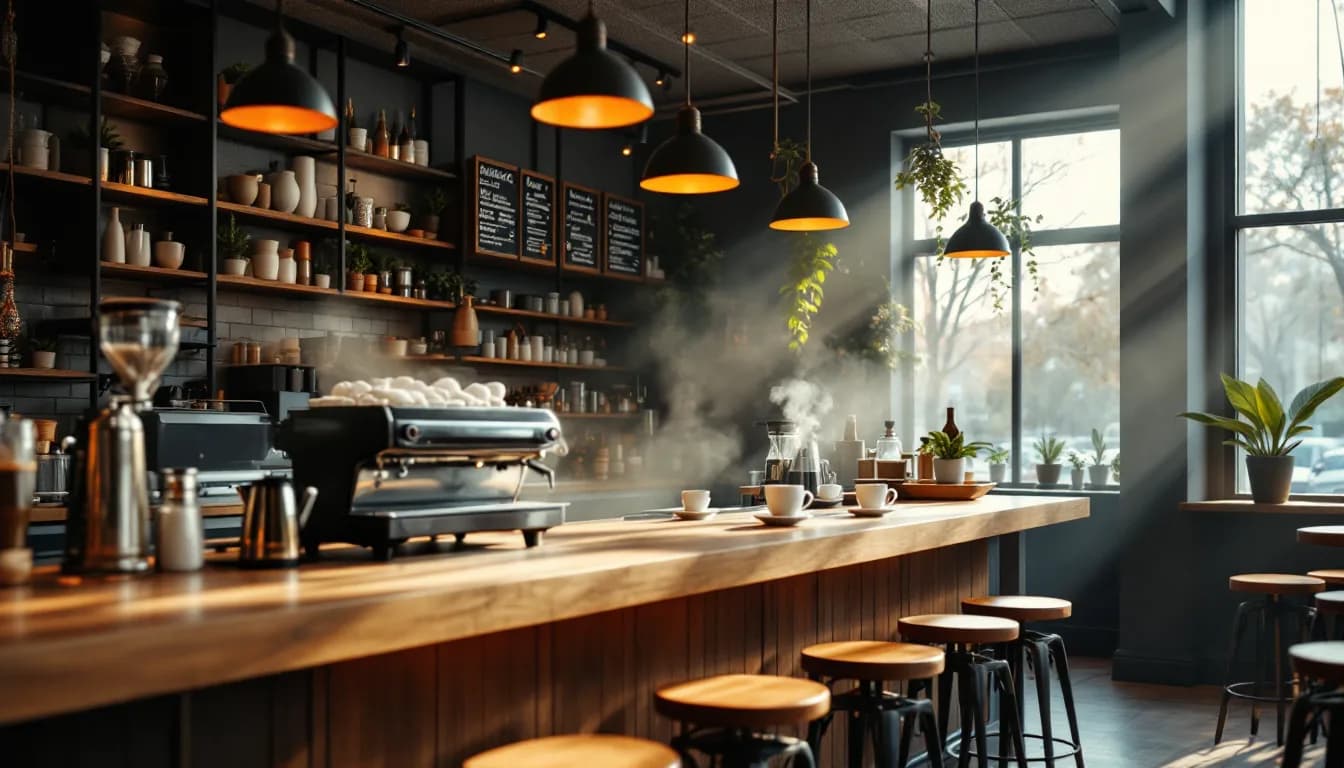
- —Music is a controllable business variable that influences dwell time, customer mood, and brand perception — not merely background decoration.
- —Define your sonic identity before selecting any playlist; mismatched music undermines the brand experience you have built in every other area.
- —Day-parting — scheduling different music profiles across the day — removes daily guesswork from staff and ensures consistency across shifts.
- —Using a business-licensed music platform is the first correct step toward compliance, but your venue must separately register with and pay fees to its local public-performance rights organisation (PRO). The platform licence does not cover this obligation.
- —Playing personal consumer streaming accounts (Spotify personal, Apple Music) in a commercial venue breaches those services' terms of use, regardless of any business music subscription you hold.
- —Volume is not a set-and-forget decision — calibrate it at expected peak occupancy, not at opening time when the room is empty.
- —Multi-zone capability lets a coffee shop run independent music profiles on the main floor, terrace, and counter area simultaneously from one dashboard.
- —Refresh playlists at least quarterly — staff register sonic stagnation before customers do, and it affects their performance as much as the guest experience.
Why Music Is a Business Variable, Not Background Noise
Most coffee shops have music. Far fewer have a music strategy. The difference matters more than operators typically assume.
When music is chosen by default — a staff member's personal playlist, a consumer streaming account left running on a laptop — it reflects whoever happened to open that morning. When it is chosen by strategy, it becomes a controllable lever that shapes how long guests stay, how they feel while they are there, and whether they return.
The core framework is straightforward: genre, tempo, volume, and scheduling all interact. Research in retail atmospherics consistently links music that is congruent with a venue's brand identity to stronger customer satisfaction and more positive in-store behaviour. The effect is not incidental. It is measurable, repeatable, and — critically — manageable.
This guide covers all three layers: the strategic decisions about what to play, the compliance obligations that come with playing it commercially, and the technology stack needed to execute both reliably.
Understanding Your Coffee Shop's Sonic Identity
Before selecting a single track, it is worth defining what your cafe actually sounds like as a brand. Sonic identity is the consistent audio personality that reinforces your positioning — and it differs significantly across coffee shop types.
Three common archetypes illustrate the range:
- The artisan or specialty cafe — focused on single-origin coffee, considered service, and a quieter, more contemplative atmosphere. Music profile: lo-fi, acoustic jazz, indie acoustic, ambient instrumental. The priority is unobtrusiveness.
- The social hub — a neighbourhood cafe where people meet, linger, and talk. Music profile: upbeat indie pop, soul, light funk. Energy is present but not aggressive.
- The quick-service or grab-and-go — throughput matters. Music profile: contemporary pop, higher-tempo tracks. The goal is a pleasant but efficient environment.
Mismatching these profiles creates friction that customers feel even when they cannot articulate it. Aggressive EDM in a quiet specialty roastery, or ambient drone music in a busy lunch counter, both undermine the brand trust you have built in every other area of the operation.
Document your sonic identity in a short written brief before you open any platform or build any playlist. Three or four sentences is enough: who your customer is, what mood you want them to feel, and which artists or genres embody that.
Tempo is a practical lever worth understanding separately. Studies on retail atmospherics suggest that slower tempos tend to encourage lingering and can support higher spend-per-visit, while faster tempos may increase table turnover — a useful distinction for peak-hour management versus quieter periods.
Genre Strategy: What to Play and When
A single playlist running from open to close is one of the most common and correctable music mistakes in hospitality. Customer needs, daylight, and the dominant reason people visit your cafe change across the day. Your music should follow.
A practical daypart framework
Morning opening (pre-rush, 7–9 am) Gentle, low-energy genres — acoustic, soft jazz, lo-fi — ease both staff and early customers into the day. This is not the moment for anything jarring.
Morning peak (9–11 am) Step up energy slightly. Upbeat indie, light soul, or contemporary acoustic pop maintains a positive mood without rushing customers who are settling in for a longer visit.
Midday lull (11 am–1 pm) A flexible window. Match the music to the dominant customer type. Remote workers and students benefit from unobtrusive instrumental; a lunch crowd arriving from nearby offices can handle more energy.
Afternoon peak (1–3 pm) Table turnover becomes relevant. Increase tempo and brightness to manage flow without being aggressive. Upbeat pop or funk-adjacent tracks work well here.
Late afternoon wind-down (3–5 pm) Students and remote workers return. Instrumental or lo-fi re-emerges. The pace slows again.
Evening (where applicable) If your venue pivots toward wine, light food, or a more social atmosphere after 5 pm, signal that shift through music. Jazz, neo-soul, or ambient electronica communicates the change without a single word.
Day-Parting: Scheduling Music Like a Business System
Day-parting is the practice of pre-scheduling different playlists or music profiles to activate automatically at defined times. It is, in effect, treating music the same way you treat staffing or prep schedules — as a system rather than a daily improvisation.
The operational benefit is significant: it removes music decisions from staff entirely, ensures consistency across shifts, and prevents the situation where a closing team's preferences bleed into the morning atmosphere.
A music scheduling and day-parting tool within a background music platform allows operators to map playlists to time blocks across the full week, including separate weekend and weekday configurations. You build the schedule once; the system executes it automatically.
Day-parting also applies to volume. Morning volumes should be lower — an empty room at 7 am does not need the same level as a full house at noon. Peak-hour volumes can rise slightly to mask ambient crowd noise without requiring manual intervention.
For larger coffee shops, multi-zone capability extends this logic spatially. A main floor zone, a terrace, and a counter or bar area can each carry independent music profiles and schedules simultaneously. A terrace in summer may want higher-energy, brighter tracks; the main floor may stay more relaxed. Review and adjust zone schedules seasonally — summer terrace programming differs meaningfully from winter indoor programming.
Volume, Acoustics, and the Listening Environment
Volume is not a set-and-forget setting. It must account for room acoustics, ceiling height, surface materials, and how occupancy changes across the day.
The most common error is calibrating volume in an empty room at opening time. Hard floors, high ceilings, and bare walls reflect sound; soft furnishings, rugs, and upholstered seating absorb it. A volume level that feels comfortable at 7 am with two customers can become oppressive — or inaudible — when the room fills.
Calibrate volume at expected peak occupancy. If that is not practical, err on the side of slightly lower and adjust upward as the room fills.
The cocktail party effect is worth understanding: as ambient conversation noise rises, music volume must rise to remain perceptible, which can trigger a feedback loop of increasing overall noise. Acoustic treatment — soft furnishings, wall panels, acoustic ceiling tiles — breaks this cycle more effectively than simply turning the music up.
In multi-zone setups, independent volume control per zone from a remote app on a phone or tablet means staff can make adjustments in real time without physically accessing hardware or interrupting service.
Licensing Obligations: What Coffee Shop Owners Must Know
This is the area where the most consequential misunderstandings occur, and clarity here protects your business.
The two-layer licensing reality
Using a background music for businesses platform that is licensed for commercial use is the correct first step. It means the music you stream is cleared for business use. It does not, however, eliminate your venue's own public-performance licensing obligation.
Your venue must separately hold a public-performance licence from the relevant rights organisation in your country. Examples include:
- PRS for Music — United Kingdom
- GEMA — Germany
- SACEM — France
- SIAE — Italy
- SGAE — Spain
- ASCAP, BMI, and SESAC — United States (separate organisations covering different repertoires)
- SOKOJ — Serbia
- ZAMP — Croatia and other parts of the Western Balkans (note: these are distinct national bodies; verify the correct organisation for your specific country)
The platform licence covers the right to stream music to your business. Your PRO licence covers the public performance of that music to an audience in your venue. Both are required. Neither replaces the other.
Consumer streaming is not a workaround
Playing a personal Spotify, Apple Music, or YouTube account in a commercial setting is a breach of those services' terms of use, regardless of whether you also hold a business music subscription. These licences are issued for private, non-commercial listening only. The potential consequences — financial liability, reputational damage — are not proportionate to the saving.
Practical steps
Contact the relevant PRO in your country, declare your venue type and capacity, and obtain the correct tariff for your situation. Fee structures vary by country and organisation; contact your local PRO directly for accurate information rather than relying on third-party estimates.
Compliance is straightforward once understood. A properly licensed business music platform is step one. PRO registration is step two. Both are necessary; together they are sufficient.
Technology Stack: Managing Music as a System
A background music platform built for hospitality removes the operational friction that causes most music strategy to collapse in practice.
The core components of a well-designed system:
- A management dashboard (MUSICDJ calls this Backstage) for building playlists, configuring zones, and setting schedules — accessible from any browser.
- In-venue players running on Android devices, Windows machines, or via a web player — no proprietary hardware required.
- A remote control app on iOS, Android, or web — allowing staff or managers to skip tracks, adjust volume, or switch a zone's playlist in real time from a phone, without touching back-office equipment.
The scheduler within the platform is where day-parting strategy becomes operational. Operators build a weekly music calendar — including daypart transitions and zone-specific configurations — and the system runs it automatically. Weekend programming can differ from weekday programming without any manual intervention on the day.
Web radio is available as a supplementary option for operators who want curated live streams alongside on-demand playlists — useful for filling gaps or providing variety during lower-traffic periods.
AI-generated jingles for your cafe are a real-time feature worth noting. The platform can generate short branded audio jingles for promotions, seasonal campaigns, or brand reinforcement between tracks — without requiring external production resources.
For multi-zone venues, per-zone playlist and volume control means the main floor, terrace, and counter area each operate independently within the same system, managed from one place.
Enhancing the Guest Experience Beyond Music
Music strategy does not exist in isolation. The most effective cafe environments combine audio with complementary guest-facing tools that reinforce the same brand experience.
CONNECT is a QR-accessible guest web app — no download required — that surfaces your digital menu, enables Google review prompts, and displays the currently playing track. That last detail is small but meaningful: showing guests what they are listening to reinforces music as an intentional brand statement rather than incidental noise.
PayPlay, the paid guest song jukebox within CONNECT, allows guests to request tracks directly from their phone. For social-hub coffee shops or evening-oriented venues, this creates a participatory experience that can increase engagement and dwell time in a way that passive listening alone does not.
Digital signage for cafes adds a visual layer: menus, promotions, and AI-generated visuals displayed on screens, scheduled per zone — consistent with the same scheduling logic already established for music. A seasonal promotion, for example, can be coordinated across channels: the signage displays the offer, an AI jingle references it on the audio channel, and the CONNECT QR menu surfaces it to guests at the table. All of it is managed from one dashboard rather than a collection of disconnected tools.
Building and Maintaining Your Coffee Shop Playlist
Playlist construction is where strategy meets execution. A few practical principles:
Avoid short playlists. A playlist of fewer than three to four hours of unique tracks will loop noticeably. Regular customers and staff both register this, and the effect on perceived quality is disproportionate to the effort required to fix it.
Build by daypart, not by master playlist. Separate morning, midday, afternoon, and evening playlists are easier to update seasonally and more effective at serving their specific purpose.
Use anchor artists. Identify three to five artists that embody your sonic identity, then use the platform's catalogue to find stylistically consistent additions. This gives playlists coherence without making them feel formulaic.
Balance familiarity and novelty. Too many unfamiliar tracks can feel cold or alienating; too many recognisable hits can feel generic. A mix weighted toward familiar-but-not-overplayed tends to perform best across a broad customer base.
Refresh regularly. Quarterly updates are a reasonable minimum. Staff notice sonic stagnation before customers do — and it affects their energy as much as the guest experience.
AI-assisted playlist and jingle generation within the platform can reduce the manual curation burden, particularly for operators managing multiple zones or locations.
Common Mistakes Coffee Shop Owners Make With Music
- Using personal consumer streaming accounts commercially. This is a licence violation with potential financial and reputational consequences. A business-licensed platform is not optional.
- Ignoring day-parting. Running the same playlist from open to close is the single most common and correctable music error in hospitality.
- Setting volume once and leaving it. Volume must respond to occupancy. Calibrate at peak, not at opening.
- Choosing music based on staff preference. Staff taste is a starting point at best. The music serves the customer and the brand, not the person who opened that morning.
- Assuming the platform covers all licensing obligations. It does not. Register with your local PRO separately and obtain the correct tariff for your venue.
- Relying on a single genre across all dayparts. Customer needs change across the day. Your music should too.
- Treating the entire venue as one audio zone. A terrace, a main floor, and a counter area have different acoustic properties and different customer behaviours. Multi-zone capability exists precisely for this reason.
Music for coffee shops is not a playlist problem. It is a systems problem — one that requires a clear sonic identity, a scheduling discipline, an honest understanding of licensing obligations, and a technology stack capable of executing all three consistently. The good news is that each of these is entirely within reach for an independent operator. The starting point is simply deciding to treat music as the business variable it already is.
Consumer Streaming vs. Business Music Platform: Key Differences for Coffee Shops
| Dimension | Consumer Streaming (e.g. Spotify personal) | Business Music Platform (e.g. MUSICDJ) |
|---|---|---|
| Licensed for commercial use | No — terms of use prohibit commercial playback | Yes — licensed for business streaming use |
| Replaces PRO/public-performance fee | No | No — venue still registers with its local PRO separately |
| Day-parting and scheduling | Not available | Built-in scheduler with time-block and zone configuration |
| Multi-zone control | Not available | Per-zone playlists, schedules, and volume control |
| Remote staff control | Limited to device controls | Remote app on iOS, Android, or web for real-time adjustments |
| AI jingles and branded audio | Not available | Real-time AI jingle generation for promotions and campaigns |
| Guest-facing features | Not available | Via CONNECT: digital menu, now-playing display, PayPlay jukebox |
| Digital signage coordination | Not available | Integrated via Digital Signage, managed from one dashboard |
| Operational risk | Licence breach; potential financial liability | Compliant when combined with correct PRO registration |
Frequently asked questions
Can I use Spotify or Apple Music in my coffee shop?
No. Personal consumer streaming accounts — Spotify, Apple Music, YouTube, and similar services — explicitly prohibit commercial use in their terms of service. Playing them in a coffee shop or any commercial venue is a licence breach, regardless of whether you also hold a business music subscription. You need a platform licensed specifically for business use.
Does a business music platform cover all my licensing obligations?
No, and this is the most important compliance point for coffee shop owners to understand. A business-licensed music platform covers the right to stream music to your business. Your venue must also separately register with and pay fees to your local public-performance rights organisation — for example, PRS for Music in the UK, GEMA in Germany, SACEM in France, or ASCAP and BMI in the United States. Both licences are required. Neither replaces the other.
What is day-parting and why does it matter for cafes?
Day-parting is the practice of pre-scheduling different music profiles to activate automatically at defined times across the day — for example, soft acoustic in the morning, upbeat indie during the afternoon peak, and jazz in the evening. It ensures your music matches the mood and customer type at each point in the day, removes daily music decisions from staff, and maintains consistency across shifts. It is one of the most impactful and underused tools available to coffee shop operators.
How long should a coffee shop playlist be?
A playlist should contain enough unique tracks to avoid audible repetition during any given session. As a practical minimum, aim for at least three to four hours of unique content per daypart. Regular customers and staff both notice when a short playlist loops, and the effect on perceived quality is significant. Building separate playlists per daypart also makes seasonal refreshes more manageable.
How do I find out which PRO to register with in my country?
Contact the public-performance rights organisation that operates in your country directly. Examples include PRS for Music in the UK, GEMA in Germany, SACEM in France, SIAE in Italy, SGAE in Spain, SOKOJ in Serbia, and ASCAP, BMI, or SESAC in the United States. Each organisation publishes tariff information based on venue type and capacity. Always verify the correct body for your specific jurisdiction, as these organisations are distinct national entities.
Can I control music in different parts of my cafe independently?
Yes, if you use a background music platform that supports multi-zone configuration. A main floor, a terrace, and a counter or bar area can each carry independent playlists, schedules, and volume settings, all managed from one dashboard. Staff can make real-time adjustments to any zone from a remote app on a phone or tablet without accessing back-office hardware.
What are AI jingles and how would a coffee shop use them?
AI jingles are short branded audio clips generated in real time by the platform. A coffee shop might use them to reference a seasonal promotion, reinforce the cafe's name between tracks, or signal a time-limited offer — without commissioning external audio production. They play within the music stream and can be coordinated with digital signage and the CONNECT guest menu for a consistent promotional message across all channels.
Ready to Treat Music as the Business Tool It Is?
MUSICDJ gives independent coffee shops and cafes a complete system for background music, day-parting, multi-zone control, digital signage, and guest-facing tools — all managed from one dashboard. Set up your schedule once and let the system run it, shift after shift.
Get Started with MUSICDJ