
How to Set Up a QR Code Menu for Your Restaurant (Step by Step)
A practical, end-to-end guide for restaurant owners and café managers on how to make a QR code menu — from content preparation and platform selection to deployment and ongoing maintenance — with an honest look at where generic tools fall short and purpose-built systems like MUSICDJ CONNECT take over.
- —A QR code is only a pointer — the value lies entirely in what the guest lands on after scanning.
- —Static PDF menus linked via QR codes cannot be updated in real time and erode guest trust when they fall out of date.
- —Mapping your requirements before choosing a tool prevents costly platform switches later.
- —Purpose-built platforms like MUSICDJ CONNECT update instantly across every printed QR code in the venue without reprinting.
- —A single QR scan can surface the menu, prompt a Google review, show the now-playing track, and open a guest song jukebox — all without an app download.
- —Music licensing for venues involves two separate obligations: the platform licence and the venue's own public performance licence from its local PRO.
What a QR Code Menu Actually Is (and What It Is Not)
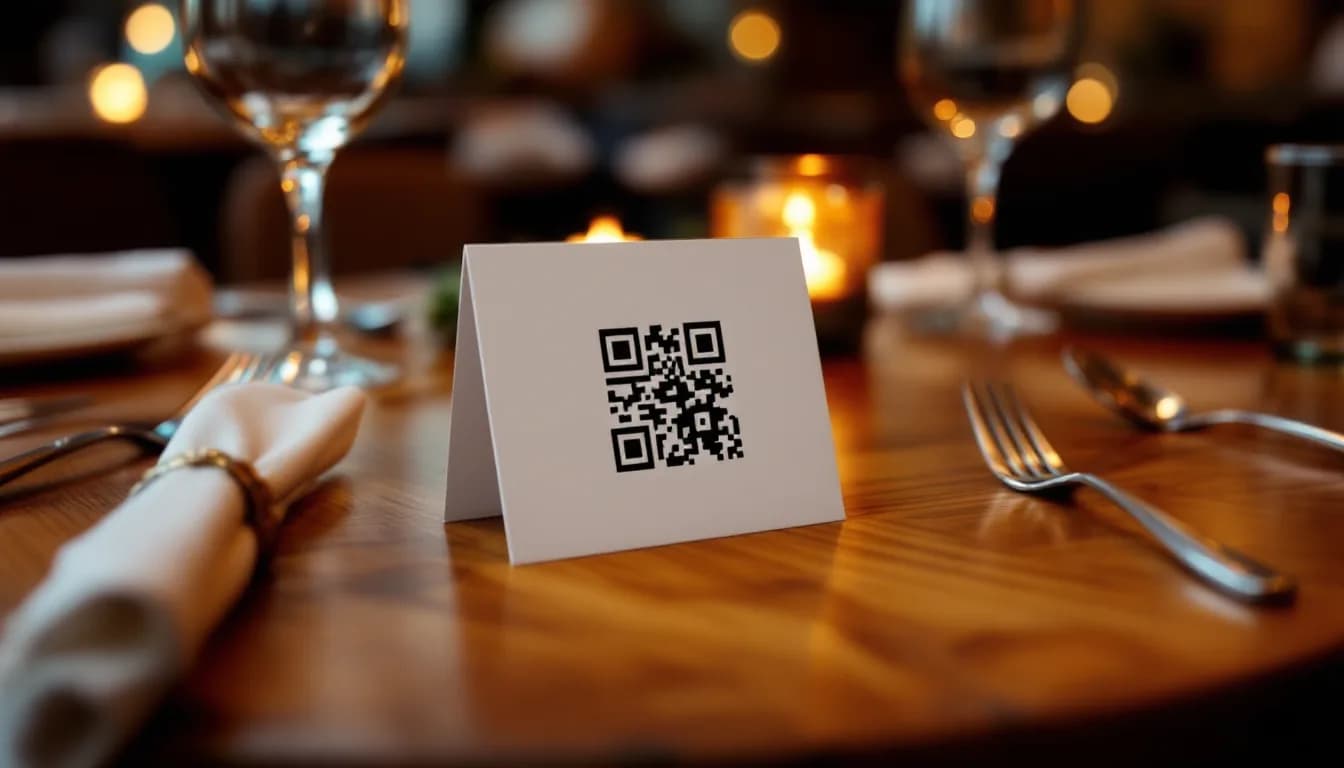
A QR code menu is a scannable code — printed on a table tent, sticker, coaster, or receipt — that directs a guest to a digital version of your menu on their own device. No app download, no physical handover, no waiting for a server to bring a laminated card.
That definition, however, covers two very different realities:
- A basic QR code is nothing more than a link. Point it at a PDF or a photo of your printed menu and you have a contactless menu restaurant owners can deploy in an afternoon. It works, but only just.
- A purpose-built digital menu is a structured, updatable, interactive experience — organised by section, readable on any screen size, and connected to other systems in your venue.
The distinction matters operationally. A PDF cannot be edited the moment a dish sells out. It cannot surface a Tuesday-afternoon drinks promotion. It cannot prompt a guest to leave a Google review or show what track is playing in the room. And if your menu changes seasonally, every PDF update requires someone to re-upload the file and hope the link still resolves.
This guide covers the full setup process for both approaches, then explains clearly where a generic tool ends and a platform like the MUSICDJ CONNECT digital menu begins.
Step 1 — Decide What Your QR Menu Needs to Do
Before generating a single code, spend thirty minutes mapping your actual requirements. The requirements determine the tool — not the other way around.
Ask yourself:
- Do you need daily specials updated in real time, or is your menu stable for months at a time?
- Do you need allergen information displayed per item?
- Do you serve an international clientele who would benefit from multiple language versions?
- Does your menu change by time of day — a breakfast offering that gives way to a lunch menu at noon?
- Where will the code be placed? A table QR code implies a seated dining experience; a window sticker implies a passing pedestrian who has not yet committed to entering.
Consider secondary goals beyond menu display:
- Gathering Google reviews at the end of a meal
- Promoting a loyalty offer or a quiet-period special
- Letting guests browse and request a song through a PayPlay guest song jukebox
- Surfacing a cocktail promotion at 17:00 without staff intervention
Document these requirements before opening a browser tab. If your team cannot realistically log in to update a file every time a dish changes, a static PDF will become inaccurate within weeks — and an inaccurate menu damages trust faster than no digital menu at all.
Step 2 — Prepare Your Menu Content
Regardless of which platform you ultimately choose, the raw material is the same: a clean, complete, organised list of every item you serve.
Audit your existing menu:
- Item name, description, price, allergen flags, and category for every dish and drink
- Note items that vary by season or by day so you can plan how to handle them digitally
- Identify which items you want to feature prominently — a digital menu can sequence sections strategically in a way a printed card cannot
Write for a small screen. Guests scan menus on phones in low ambient light, often mid-conversation. Short, specific descriptions outperform long, florid ones. If a dish is a slow-braised lamb shoulder with rosemary jus, say exactly that — do not pad it.
On photography: high-quality images increase perceived value and can influence ordering behaviour. That said, a well-structured text menu is preferable to one accompanied by poor-quality or inconsistent images. Do not add photos simply because the platform supports them.
A note for MUSICDJ CONNECT users: the platform includes an AI menu generation tool that can draft item descriptions from basic inputs — name, key ingredients, cooking method. This meaningfully reduces the content-preparation workload, particularly for operators building a digital menu for the first time or refreshing a large menu.
Organise your items into logical sections before you upload anything. The structure you define at this stage becomes the navigation structure your guests see.
Step 3 — Choose Your QR Menu Platform
There are three broad categories of tool available to restaurant operators today.
Generic QR code generators (free online tools) These produce a code that links to any URL you provide. They are appropriate only if you already have a well-maintained, mobile-optimised menu page hosted elsewhere. Limitations include no analytics, no real-time editing within the tool, and no guest interaction layer. The code itself costs nothing; the hidden cost is the ongoing manual maintenance of whatever it points to.
PDF-to-QR services Slightly more convenient than a raw generator, but they inherit all the problems of a static file. No live updates, no structured data, no ability to surface promotions or collect reviews. If a price changes, you upload a new PDF and hope the URL remains the same.
Purpose-built hospitality platforms such as [MUSICDJ CONNECT](/solutions/connect) The menu lives inside a managed system. Updates propagate instantly to every printed QR code already deployed in the venue — no reprinting, no new codes. The guest-facing experience is a no-download web app, meaning guests arrive at a structured, navigable menu the moment they scan.
When evaluating any platform, apply these criteria:
- How quickly can a non-technical team member update a price or remove a dish?
- Does the guest experience require an app download?
- Does the platform integrate with other venue systems — music scheduling, screen content, review collection?
- Is the menu URL persistent, or does it change when content is edited?
- What is the realistic total cost of ownership, including staff time spent on maintenance?
Remember: the QR code itself is just a pointer. Every decision that matters is a decision about what it points to.
Step 4 — Build and Structure Your Digital Menu
With your content prepared and your platform chosen, the build phase is largely a structured data-entry exercise.
General steps applicable to any platform:
- Create your top-level sections (Starters, Mains, Desserts, Drinks, etc.) mirroring the structure from Step 2.
- Enter each item with its name, description, price, and any allergen or dietary tags.
- Set visibility rules if the platform supports them: a breakfast menu active only until 11:30, a cocktail list visible from 17:00 onward. This is scheduling logic, not manual toggling — it runs without staff intervention.
- Preview the guest-facing experience on a real mobile device before generating any QR code. Check load speed, navigation flow, and readability at arm's length in your actual venue lighting.
For MUSICDJ CONNECT users specifically: all of the above is managed from the Backstage dashboard — the same interface used for background music for restaurants and digital signage for menus and promotions. The AI menu generation tool is available at the item-entry stage to assist with descriptions.
Critical technical point: confirm that your platform uses a persistent, redirect-safe URL for the guest-facing menu. If the URL changes every time you edit the content, every QR code already printed in the venue becomes a broken link. This is a non-negotiable requirement, not a nice-to-have.
Step 5 — Generate, Test, and Deploy Your QR Codes
Once the digital menu is live and previewed, generate the QR code.
Generation and file format:
- Download the code in a vector format (SVG or EPS) rather than a low-resolution PNG. Vector files scale to any print size without quality loss.
- If your platform generates the code internally, use that version — it is already pointed at the correct, stable URL.
Testing before printing anything:
- Scan the code with at least three different devices and camera apps.
- Test from the distance and in the lighting conditions of your actual venue — a code that resolves perfectly on a bright desk may struggle under warm restaurant lighting.
- Confirm every section of the menu loads correctly and that navigation between sections works on a phone screen.
Physical deployment:
- Choose a holder appropriate to your venue: table tent, laminated sticker, coaster insert, or a framed card at the entrance.
- Include a brief instruction line such as 'Scan to view our menu' — not every guest, particularly older diners, will recognise the behaviour instinctively.
- Use durable, laminated materials in kitchen-adjacent or high-moisture environments.
For MUSICDJ CONNECT users: the same QR code that opens the digital menu also gives guests access to the full no-download guest web app. One scan can display the menu, show the currently playing track, and prompt a Google review — without any additional codes or steps required.
Step 6 — Keep the Menu Accurate Over Time
The most common failure mode for any QR code menu for a restaurant is not a technical failure — it is an out-of-date menu that guests encounter weeks or months after a price change or dish removal. This erodes trust more effectively than almost any other operational lapse.
Build a maintenance habit:
- Assign a named team member as the menu owner. This is not an IT role; it is a content role that any manager can hold.
- Set a recurring calendar reminder — weekly for high-turnover menus, monthly for stable ones — to audit every item for accuracy.
- Treat allergen information with the same urgency as a physical menu reprint. In most jurisdictions, allergen accuracy is a legal obligation, not a courtesy.
With a platform like MUSICDJ CONNECT, a price change or item removal takes seconds from the Backstage dashboard and is live immediately across every QR code in the venue. There is no reprint cycle, no new code generation, and no lag between the edit and the guest-facing result.
Seasonal rotations: prepare the incoming menu section in draft, then publish on the changeover date. This is standard content scheduling — no technical skill required beyond knowing where the publish button is.
Beyond the Menu: What MUSICDJ CONNECT Adds That Generic Tools Cannot
A generic QR generator does one thing: it redirects a scan to a URL. A purpose-built platform extends that single interaction into a richer guest experience — and a more useful operational tool.
Google review prompting The guest web app can surface a direct link to your Google review page at the right moment in the dining experience — after the meal, not mid-order. This increases review volume without requiring staff to ask, which many operators find uncomfortable.
Now-playing display Guests can see what track is currently playing in the venue from within the same web app. It is a subtle engagement feature, but it connects the atmosphere to the digital touchpoint in a way that no generic menu tool can replicate.
PayPlay guest jukebox Guests can browse and pay to queue a song directly from the same interface they used to view the menu. The PayPlay guest song jukebox creates an incremental revenue stream for the venue with no additional hardware and no separate QR code.
No app download required Every one of these features — menu, review prompt, now-playing, jukebox — runs in the guest's browser from a single scan. There is no installation friction.
One dashboard for the whole venue All of the above is managed from the same Backstage dashboard used for background music for restaurants and digital signage for menus and promotions. Operators do not need separate logins for separate systems.
To be clear about scope: MUSICDJ CONNECT is the QR digital menu and guest web app product. Background music, digital signage, and IPTV are separate products that share the same platform and dashboard — they are not bundled automatically, but they are designed to work together.
A Note on Music Licensing for Venues Using Background Music
Operators researching a QR menu setup often discover MUSICDJ's background music features at the same time and begin evaluating the full platform. Before making any decisions, it is important to understand how music licensing works in a commercial venue context.
MUSICDJ provides a business-licensed music streaming service — meaning the recordings are licensed for commercial use in your venue. This is a separate and distinct obligation from the public performance licence that your venue must hold independently from its national collection society (for example SOKOJ in Serbia, GEMA in Germany, SACEM in France, PRS in the United Kingdom, SIAE in Italy, SGAE in Spain, ZAMP in Croatia and Slovenia, or the relevant PRO in your territory).
Both licences are required. MUSICDJ covers the recording licence for commercial streaming; your PRO covers the public performance right. Neither replaces the other, and MUSICDJ does not remove or fulfil your venue's PRO obligation.
If you are evaluating background music for restaurants alongside CONNECT, factor both licensing obligations into your planning from the outset.
QR Menu Approach Comparison: Generic Tools vs. Purpose-Built Platform
| Feature / Dimension | Generic QR Generator or PDF Link | Purpose-Built Platform (e.g. MUSICDJ CONNECT) |
|---|---|---|
| Real-time menu updates | Requires manual file re-upload; URL may break | Instant from dashboard; all codes update automatically |
| Guest app download required | Depends on destination URL | No download — full experience runs in browser |
| Structured menu navigation | None — guest sees a flat PDF or image | Sections, categories, allergen tags, dietary filters |
| Time-of-day menu scheduling | Not supported | Supported — breakfast, lunch, dinner menus by schedule |
| Google review prompting | Not supported | Built into the guest web app |
| Now-playing track display | Not supported | Displays current track from venue music system |
| Guest song jukebox (paid) | Not supported | Available via PayPlay within the same scan |
| Analytics on scan behaviour | Minimal or none | Available within the platform dashboard |
| Integration with signage and music | None | Co-managed from the same Backstage dashboard |
| Allergen and dietary tagging | Not supported in PDF/image format | Per-item tags in structured menu builder |
| AI-assisted menu descriptions | Not available | Available via built-in AI menu generation tool |
| Cost of ongoing maintenance | Low tool cost; high staff time cost | Higher platform cost; significantly lower staff time cost |
Frequently asked questions
How do I make a QR code menu for my restaurant without technical skills?
The simplest path is to use a purpose-built hospitality platform that includes a menu builder. You enter your items, descriptions, and prices into a dashboard — no coding required — and the platform generates both the guest-facing menu and the QR code. MUSICDJ CONNECT includes an AI menu generation tool that can draft item descriptions from basic inputs, which further reduces the content workload. Generic QR generators require you to have a mobile-optimised menu page already hosted elsewhere, which typically does require some technical setup.
Can I update a QR code menu after it has been printed?
Yes — provided your platform uses a persistent URL. With a purpose-built system like MUSICDJ CONNECT, the QR code always points to the same stable address; only the content behind it changes. You update the menu in the dashboard and the change is live immediately across every printed code in your venue. With a generic QR generator linked to a PDF, you would need to re-upload the file and ensure the URL has not changed — and if it has, every printed code becomes a broken link.
Do guests need to download an app to use a QR code menu?
Not if the platform is designed correctly. MUSICDJ CONNECT's guest-facing experience runs entirely in the browser — guests scan, the menu opens, and they can access all features including the now-playing display, Google review prompt, and PayPlay jukebox without installing anything. Generic tools that link to a mobile website also require no download, but they offer none of the additional guest engagement features.
Is a QR code menu legally compliant for allergen information?
A digital menu can display allergen information, but the legal obligation to provide accurate, up-to-date allergen data remains with the venue regardless of format. In most jurisdictions, allergen information must be available to guests on request and must be accurate. A purpose-built platform with per-item allergen tagging makes it easier to maintain that accuracy than a static PDF, but the venue is still responsible for ensuring the data is correct and current. Consult your local food safety authority for jurisdiction-specific requirements.
What is the difference between a QR code menu and a digital menu system?
A QR code menu is a delivery mechanism — it gets the guest to a digital menu via a scan. A digital menu system is the structured, managed environment behind that code: the database of items, the scheduling logic, the guest interface, and the integration with other venue tools. A QR code without a proper digital menu system behind it is just a link to a file. The system is where the operational value lives.
Does MUSICDJ CONNECT replace the need for a separate music licensing agreement?
No. MUSICDJ provides a business-licensed music streaming service for commercial venues, but this does not replace the venue's obligation to hold a public performance licence from its local collection society (such as PRS, GEMA, SACEM, SOKOJ, SIAE, SGAE, ZAMP, or the equivalent in your territory). Both licences are required and serve different purposes. MUSICDJ covers the recording licence; your PRO covers the public performance right.
Ready to Set Up a QR Menu That Works as Hard as Your Team Does?
MUSICDJ CONNECT gives your guests a no-download digital menu, Google review prompts, a now-playing display, and a guest song jukebox — all from a single QR scan, managed from one dashboard alongside your music and screens.
Get Started with MUSICDJ