
Guest Apps for Small Hotels and Rentals: A Practical Guide
A practical, operator-first guide to hotel guest apps for independent properties with one to thirty rooms — covering no-download access, AI guest agents, channel management, in-room TV, and background music licensing, with honest advice on what technology can and cannot do for small hospitality businesses.
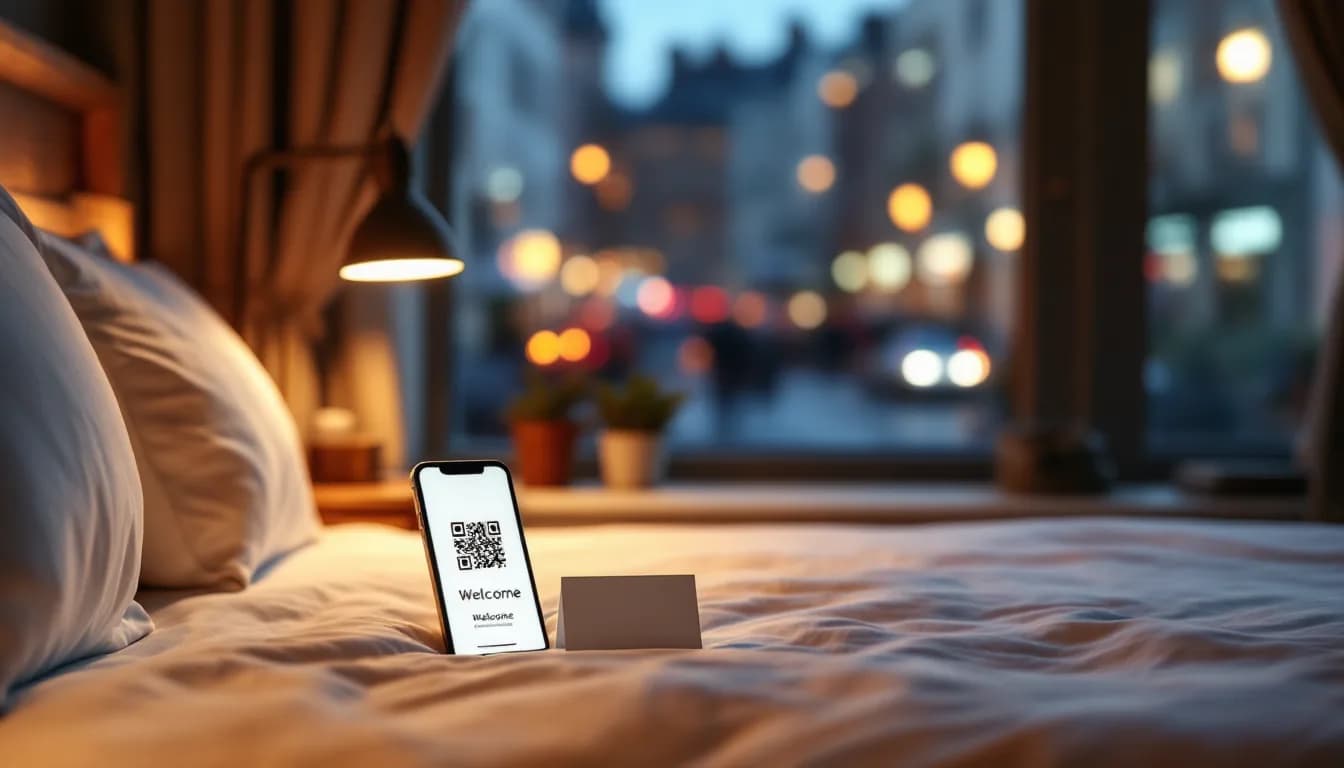
- —A no-download hotel guest app removes the repetitive, low-value interruptions that consume disproportionate owner time — without requiring guests to install anything.
- —The most important design decision in a guest app for small hotels is not the feature list; it is whether the operator can configure and maintain it without an IT department.
- —An AI guest agent can handle the majority of common queries around the clock and hand off genuinely complex situations to the owner's WhatsApp — covering late-night and off-site hours without hiring night staff.
- —MUSICDJ STAY uses a permanent per-room licence with no monthly platform fee, making costs predictable regardless of occupancy fluctuations.
- —MUSICDJ provides music licensed for business use, but venue operators remain responsible for their own local public-performance licence through the relevant PRO in their territory — this obligation is not removed or replaced by the platform.
- —A guest app amplifies good hospitality but cannot rescue poor fundamentals — a clean room and a warm welcome remain the primary drivers of positive reviews.
What a Hotel Guest App Actually Does for a Small Property (And What It Does Not)
A hotel guest app is a digital touchpoint that allows guests to self-serve information, make requests, and access services without calling the front desk or knocking on a door. That definition sounds straightforward, but the implications for a small property are significant.
For a twenty-room boutique hotel or a five-unit serviced apartment building, the front desk is often the owner. Every interruption — no matter how minor — pulls that person away from something else. A well-configured guest app absorbs the repetitive, low-value queries so that the owner's attention is available for the moments that genuinely require a human.
The No-Download Distinction Matters More Than It Seems
Enterprise hotel apps ask guests to download a branded application from the App Store or Google Play. For a guest staying two nights at an independent guesthouse, that friction is often a dealbreaker. A no-download guest app opens directly in the phone's browser via a QR code or a link — no account creation, no storage used, no brand recognition required before the guest is willing to engage.
For short-stay and vacation rental contexts in particular, this distinction is not a minor technical detail. It is the difference between a tool guests actually use and one they ignore.
Enterprise Tools Are Built for Different Constraints
Most hotel guest experience apps on the market were designed for properties with a property management system, an IT contact, and a reservations team. They assume integrations, onboarding support, and ongoing technical maintenance. A guesthouse operator managing twelve rooms from a mobile phone while also making breakfast has fundamentally different constraints, and the technology they choose should reflect that reality.
Honest Expectations
A hotel guest app does not replace a warm welcome or human judgment. It removes the repetitive interruptions — the Wi-Fi password question, the breakfast hours query, the checkout time confirmation — that consume a disproportionate share of an owner's day. The operational lens running through this guide is simple: every feature discussed maps to a real daily friction point that small and independent operators actually face.
The Daily Pain Points a Small Hotel or Rental Operator Actually Faces
Before evaluating any technology, it is worth being precise about the problems it is meant to solve. The pain points for a small property are specific and operational.
- The 11 p.m. WhatsApp message asking for the Wi-Fi password. It was in the confirmation email. It is on the welcome card. Guests still ask, because in the moment they need it, they do not want to search — they want an instant answer. A guest app with a persistent information hub removes this query almost entirely.
- The owner wearing every hat simultaneously. Receptionist, housekeeper coordinator, breakfast host, local concierge — often all before 10 a.m., often from a mobile phone while physically moving between tasks. Any technology that requires sitting at a desktop to manage is effectively unusable.
- No IT department. Any system must be configured once and run reliably without ongoing technical maintenance. If something breaks and the fix requires a support ticket and a forty-eight-hour response window, the operator is exposed.
- Unpredictable SaaS pricing. Monthly fees that scale with occupancy or number of bookings create budget uncertainty for properties where revenue is already seasonal. Predictable, fixed-cost models matter.
- Review collection without a system. For independent properties competing against branded chains on OTA ranking algorithms, Google review volume and recency are critical. Yet most small operators have no systematic way to prompt guests at the right moment — they rely on guests self-initiating, which the majority do not.
- The gap between guest expectations and what a small property can deliver. Guests increasingly expect digital menus, instant answers, and in-room entertainment options. A paper folder and a generic hotel TV channel do not meet that expectation, and the gap is visible in reviews.
- Language barriers at multilingual destinations. A guesthouse in a popular tourist destination may receive guests speaking six different languages in a single week. Responding personally to queries in every language is not realistic for a one- or two-person operation.
Core Features to Look for in a Guest App for Small Hotels and Rentals
Not every feature marketed to hotels is relevant to a small property. The following are the features that address the operational realities described above.
No-Download Access via QR Code
This is non-negotiable for short-stay and vacation rental contexts. A guest staying two nights will not install a dedicated app. A QR code placed on the room desk, the door, or a welcome card opens the guest experience immediately in the browser. Adoption rates for no-download web apps are meaningfully higher than for native apps in short-stay contexts, precisely because the barrier to entry is zero.
Digital House Manual and Information Hub
The laminated folder is always out of date, frequently lost between the mattress and the headboard, and impossible to update without reprinting. A digital house manual — Wi-Fi credentials, check-out instructions, house rules, appliance guides, local recommendations — is always current and always accessible from the guest's phone. When house rules change seasonally, the update takes minutes and is live immediately.
Digital Menu or In-Room Dining Information
For guesthouses with a breakfast service or small hotels with a bar, a scannable digital menu removes printed menus entirely and allows real-time updates. If the kitchen runs out of an item, it is removed from the menu in seconds. If breakfast hours change on Sundays, the change is reflected instantly without reprinting.
Now-Playing Music Information
If the property plays background music in common areas, guests can see what is currently playing through the guest app. This is a small detail, but it is the kind of detail that guests mention in reviews — and that signals a level of hospitality intentionality that distinguishes a property from a generic accommodation.
Google Review Prompts
Surfacing a direct link to leave a Google review at the right moment in the guest journey — after check-in, or at the point of check-out — is one of the highest-leverage actions a small independent property can take for OTA visibility and local search ranking. A guest app that integrates this prompt systematically removes the awkwardness of asking in person and catches guests at a moment when their experience is fresh.
AI Guest Agent
A 24/7 automated concierge trained on property-specific information handles common queries autonomously and escalates genuinely complex situations to the owner. The critical design detail is the escalation path: when a query falls outside the AI's scope, or a guest is distressed, the conversation should transfer to a channel the owner already monitors — not a proprietary inbox requiring a separate login. More on this in its own section below.
In-Room TV Experience
A branded welcome screen with property information replaces the generic hotel TV setup and creates a first impression that signals professionalism. Combined with live TV channels, it turns a standard room screen into a hospitality asset rather than a piece of background furniture.
Direct Booking Capability
A guest app that supports direct bookings creates a long-term path to reducing OTA commission dependency. For returning guests and word-of-mouth referrals — the guests most likely to book again — a frictionless direct booking option within the app they already used during their stay is a meaningful conversion opportunity.
How MUSICDJ STAY Addresses These Specific Needs
MUSICDJ STAY for small hotels and rentals is purpose-built for properties without IT departments or large teams. The product decisions reflect the constraints of operators managing between one and thirty rooms, often alone or with minimal staff.
The Branded No-Download Guest Web App
Guests open the STAY guest app via QR code in any browser — no installation, no account creation. From that single entry point they access the digital house manual, the in-room menu, now-playing music information, and Google review prompts. The entire guest-facing experience is available without any friction that would reduce adoption.
The AI Guest Agent and WhatsApp Handoff
The AI guest concierge agent answers common questions around the clock. When a situation requires human judgment — a maintenance issue, a complaint, a request that falls outside the configured scope — the conversation transfers to the owner's existing WhatsApp. The owner does not need to monitor a separate inbox or learn a new communication tool. The handoff goes to where they already are.
In-Room Guest TV
A branded TV experience is controlled from the owner's phone, displaying property information alongside live IPTV channels. There is no separate hardware management system per room and no requirement to physically configure each device individually.
Licensing Model Designed for Small Properties
STAY uses a permanent licence per room — one device, one room, one permanent cost. There is no monthly platform fee that fluctuates with occupancy. For a property where revenue is seasonal and budgets are tight, this predictability is not a minor convenience; it is a meaningful operational advantage. See MUSICDJ pricing for current details.
Channel Manager Integration
The STAY channel manager connects to Booking.com, Airbnb, Expedia, Google Hotels, Vrbo, Agoda, Trip.com, HRS, and Check24 — managing availability and rates from a single dashboard without third-party middleware. For an operator currently logging into four or five separate OTA extranets to update availability, this consolidation alone represents a significant reduction in daily administrative overhead.
Single Dashboard for Everything
All management — guest app content, TV, music, signage, bookings — runs through the Backstage dashboard, accessible from iOS, Android, and web. There is no desktop-only admin panel requiring the owner to be at a desk.
The AI Guest Agent: Your 24/7 Staff Member for a Fraction of the Cost
A small guesthouse cannot staff a 24-hour front desk. Yet guests arrive on late flights, have questions at midnight, and — reasonably — expect a prompt response. The gap between what guests expect and what a small property can staff is one of the most persistent operational tensions in independent hospitality.
An AI guest concierge agent trained on property-specific information resolves the majority of guest queries without owner intervention. The training input is plain language — the owner describes house rules, local transport options, breakfast hours, check-out procedures, parking instructions — and the agent uses that information to answer guests accurately and consistently.
Queries the AI Handles Autonomously
- Wi-Fi password and network name
- Breakfast start and end times
- Nearest pharmacy, supermarket, or ATM
- Parking instructions and local transport options
- Check-out time and luggage storage availability
- House rules (quiet hours, smoking policy, pet policy)
Queries That Should Escalate to the Owner
- Maintenance emergencies (heating failure, plumbing issue)
- Complaints requiring empathy and judgment
- Requests for significant changes to a booking
- Situations where a guest is distressed and needs a human response
The WhatsApp handoff is the critical design decision here. When escalation is needed, the conversation transfers to the owner's existing WhatsApp — not a proprietary inbox requiring a separate login and a habit change. The owner receives the context of the conversation and can respond immediately from wherever they are.
Multilingual Coverage Without Overhead
An AI agent operating in multiple languages reduces the support overhead at multilingual destinations without requiring the owner to personally respond in every language. This is not a replacement for genuine multilingual hospitality at key moments — but it covers the routine queries that would otherwise require translation and a delayed response.
An Honest Note
The AI agent is a support layer, not a substitute for genuine hospitality. Guests who feel heard by a human at the moments that matter — arrival, a problem, departure — are more likely to leave positive reviews and return. The agent's job is to handle the routine so that the owner's attention is available for those moments.
Digital Signage and In-Room TV: Turning Screens Into a Hospitality Asset
Most small hotels have at least one screen per room and one or more screens in common areas. In the majority of independent properties, those screens show generic broadcast content — a missed opportunity to communicate with guests and reinforce the property's identity.
In-Room TV as a First Impression
A branded welcome screen with property information replaces the paper welcome folder and creates an immediate signal of professionalism. Guests who arrive late and find a personalised welcome on the room TV have a different first impression than guests who find a generic channel guide. The content — house information, local recommendations, breakfast details — is managed from the same Backstage dashboard as everything else.
Digital Signage in Common Areas
Digital signage for hospitality in the lobby, breakfast room, or bar can display daily menus, promotions, local event information, and AI-generated visuals — all scheduled and managed centrally. The owner does not need graphic design skills to produce professional-looking content; the AI visual generation tool handles that.
Day-parting allows content to change automatically by time of day: a breakfast menu in the morning, local activity suggestions in the afternoon, dinner specials in the evening. Once configured, this runs without manual intervention.
IPTV: Live TV Controlled From the Phone
Live TV channels on in-room and venue screens are controlled from the owner's phone. There is no separate set-top box management system per room. This matters in practice when the person managing the technology is also managing the property.
One Dashboard for All of It
Signage, in-room TV, and the guest app are all managed from the same Backstage interface. For an operator who is simultaneously making breakfast and checking in the next guest, the value of a single login and a single interface cannot be overstated.
Background Music in Small Hotels and Rentals: Atmosphere, Licensing, and Practicalities
Background music in common areas — lobby, breakfast room, bar, terrace — meaningfully shapes guest perception of a property. Studies on hospitality atmospherics consistently support the connection between a curated sound environment and guest satisfaction, even when guests cannot articulate why one space feels more welcoming than another.
What the Music System Covers
Background music licensing for hospitality venues through MUSICDJ includes per-zone playlists and day-parting — calm morning music in the breakfast room, a livelier afternoon playlist in the bar, ambient evening music in the lobby — all scheduled in advance and running without manual intervention. Web radio integration is available for properties that prefer curated station-style listening without building their own playlists. AI jingles — short branded audio identifiers — can be inserted into the music schedule as a detail that reinforces property identity.
Licensing: What MUSICDJ Covers and What It Does Not
This is an important point that deserves plain language.
MUSICDJ provides music licensed for business use, which covers the platform's rights obligations. However, the property operator remains responsible for paying their own local public-performance licence through the relevant collecting society in their territory. Examples include SOKOJ in Serbia, GEMA in Germany, SACEM in France, PRS for Music in the United Kingdom, SIAE in Italy, SGAE in Spain, and ZAMP in Croatia and Slovenia. The applicable body and fee structure will vary by country and property type.
MUSICDJ does not remove or replace this obligation. Operators who are not currently registered with their national PRO should contact that body directly to understand the applicable fee for their property size and use case. Operating background music in a business without the appropriate public-performance licence is a compliance risk, regardless of which streaming platform is used.
One System for Music and Everything Else
The music system is managed from the same Backstage dashboard as signage and the guest app. There is no separate music platform subscription to log into, no additional interface to learn, and no separate billing relationship to manage.
Channel Manager and Direct Bookings: Reducing OTA Dependency From the Same Dashboard
OTA commissions represent a significant ongoing cost for small properties. For a guesthouse operating on tight margins, even a modest shift in the ratio of direct to OTA bookings has a material impact on profitability over a full year.
What the Channel Manager Connects
The STAY channel manager connects to Booking.com, Airbnb, Expedia, Google Hotels, Vrbo, Agoda, Trip.com, HRS, and Check24. Availability and rates are managed centrally, which prevents double bookings and rate inconsistencies across platforms — a risk that grows with every additional OTA an operator lists on.
Direct Booking as a Long-Term Strategy
Returning guests and word-of-mouth referrals are the guests most likely to book directly if a frictionless option is available to them. A guest app that supported their in-stay experience is a natural place to surface that option. Over a six-to-twelve month window, tracking the share of direct bookings from returning guests provides a meaningful signal of whether the system is working as intended.
An Honest Framing
Channel management does not eliminate OTAs. For most small independent properties, OTAs remain the primary discovery channel for new guests, and that is unlikely to change in the near term. The realistic goal is to capture repeat and referral guests directly over time — reducing commission dependency gradually rather than eliminating it overnight.
No Data Silos Between Booking and Guest Experience
Because the channel manager and the in-stay guest app are part of the same system, there is no gap between reservation data and guest communication. The same platform that manages bookings delivers the in-room experience — one system, one dashboard, no middleware.
Implementation: Getting a Guest App Running Without an IT Department
The most common reason small operators avoid guest technology is the assumption that setup requires technical expertise they do not have. For a well-designed system built for this market, that assumption is incorrect.
Realistic Setup Timeline
A property with clear house rules, a basic menu, and Wi-Fi credentials can have a functional guest app configured in a single working session. The inputs required are plain language — the same information that currently lives in the laminated folder.
QR Code Placement
For maximum guest discovery, QR codes should be placed in multiple locations: on the room door, on a welcome card on the desk, inside the wardrobe where guests look for hangers, and at the breakfast table. Redundant placement ensures that guests encounter the code regardless of where they first look.
Training the AI Agent
The owner provides property-specific information in plain language — frequently asked questions, house rules, local recommendations, emergency contacts. No coding or technical configuration is required. The agent uses that information as its knowledge base and handles queries accordingly.
Connecting the Channel Manager
Setup requires OTA account credentials and a one-time mapping of room types to the relevant OTA listings. The Backstage dashboard guides the process. Once connected, availability updates propagate automatically across all connected platforms.
In-Room TV Setup
One device per room, managed from the owner's phone. The owner does not need to physically configure each room individually at the device level after initial setup.
Ongoing Maintenance
Updating house rules, adding seasonal menu items, adjusting music schedules, refreshing signage content — all of this is done from the Backstage dashboard or the mobile remote app. No technical support is required for routine content updates.
Common Mistakes to Avoid
- Setting up the guest app but not placing QR codes prominently enough for guests to notice them
- Failing to update the AI agent when house rules or seasonal hours change
- Using the same music playlist year-round without day-parting to reflect the time of day or season
- Configuring the review prompt but not testing the link before guests encounter it
Measuring Whether a Guest App Is Actually Working for Your Property
For a small property, the most meaningful measure of a guest app's effectiveness is not a dashboard metric — it is a felt reduction in the number of times the owner is interrupted during the working day by questions the app should be answering.
Signals Worth Tracking
- Reduction in repetitive guest queries. If the Wi-Fi password question drops from a daily occurrence to a rare one, the information hub is working.
- Google review volume and average rating. Track these over a rolling three-month period after implementing the review prompt. A consistent upward trend is a signal that the prompt is reaching guests at the right moment.
- Direct booking share. Over a six-to-twelve month window, what percentage of returning guests are booking directly versus through OTAs? Even a modest shift represents meaningful commission savings at the annual level.
- Guest feedback as a qualitative signal. Guests who mention the app, the music, or the TV experience in reviews are signalling that the technology is delivering a perceptible hospitality improvement — not just a functional one.
The Continuous Improvement Loop
Reviewing AI agent conversation logs periodically reveals recurring questions that the property information hub is not answering clearly enough. When the same question appears repeatedly, the answer should be added or clarified in the knowledge base. This improvement loop requires no technical skill — it is the same kind of operational attention a good host already applies to every other aspect of the guest experience.
An Honest Final Note
A hotel guest app is not a substitute for a clean room, a comfortable bed, or a warm welcome. It amplifies good hospitality and removes operational friction, but it cannot rescue poor fundamentals. The properties that see the greatest benefit from guest technology are those that already deliver a solid core experience and are looking to extend it — not those hoping technology will compensate for gaps in the basics.
Get started with MUSICDJ to explore how STAY fits your property's specific setup.
No-Download Guest Web App vs. Native Hotel App: What Small Properties Actually Need
| Feature or Consideration | No-Download Guest Web App | Native Hotel App (App Store / Google Play) |
|---|---|---|
| Guest installation required | No — opens in browser via QR code or link | Yes — guest must find, download, and install |
| Adoption rate for short stays (1–3 nights) | High — zero friction to access | Low — most guests decline to install for a short stay |
| Works on any smartphone OS | Yes — browser-based, OS-agnostic | Requires separate iOS and Android builds |
| Owner can update content without app release | Yes — changes are live immediately | Content updates may require a new app version submission |
| Brand recognition required before guest engages | No — QR code is the entry point | Yes — guest must trust the brand enough to install |
| Setup complexity for small property | Low — configured via dashboard in plain language | High — typically requires developer or vendor onboarding |
| Suitable for Airbnb and vacation rental context | Yes — ideal for guests with no prior brand relationship | Generally not — guests will not install for a single stay |
| Ongoing maintenance requirement | Minimal — content updated via dashboard | Higher — app updates, OS compatibility, store compliance |
Frequently asked questions
What is a hotel guest app and do I need one if I only have a few rooms?
A hotel guest app is a digital touchpoint that lets guests access property information, make requests, and use services from their phone without calling you or knocking on a door. For a small property, the case for one is arguably stronger than for a large hotel: you have fewer staff to handle interruptions, so every repetitive query the app absorbs frees up meaningful time. A no-download web app — one that opens via QR code in the guest's browser — requires no technical setup beyond configuring the content and is accessible to guests regardless of their familiarity with your brand.
Does a no-download guest app work if my guests are not tech-savvy?
Yes. A no-download guest web app requires only the ability to scan a QR code with a smartphone camera — a skill that is now near-universal across age groups. The guest does not need to create an account, download anything, or remember a password. Placing the QR code in multiple visible locations in the room (desk, door, welcome card) ensures that even guests who are not actively looking for a digital experience will encounter it.
Does MUSICDJ STAY include music licensing so I do not have to deal with my PRO?
No, and this is important to understand clearly. MUSICDJ provides music licensed for business use, which covers the platform's own rights obligations. However, as the venue operator, you remain responsible for obtaining and paying your own local public-performance licence through the relevant collecting society in your country — for example, PRS for Music in the UK, GEMA in Germany, SACEM in France, SIAE in Italy, SOKOJ in Serbia, or ZAMP in Croatia and Slovenia. MUSICDJ does not remove or replace that obligation. If you are unsure whether your property is currently registered with your national PRO, contact them directly to understand what applies to your property type and size.
How does the AI guest agent know the right answers for my specific property?
You provide the information in plain language — your house rules, breakfast hours, Wi-Fi details, local recommendations, check-out procedure, parking instructions, and any other frequently asked questions. The AI agent uses that content as its knowledge base. No coding or technical configuration is required. When a query falls outside what you have configured, or when a situation requires human judgment, the conversation escalates to your existing WhatsApp so you can respond directly.
Can MUSICDJ STAY replace my current channel manager?
STAY includes a built-in channel manager that connects to Booking.com, Airbnb, Expedia, Google Hotels, Vrbo, Agoda, Trip.com, HRS, and Check24, managing availability and rates from a single dashboard. Whether it can replace your current channel manager depends on which platforms you are listed on and your current workflow. If you are listed on platforms not included in that list, you would need to assess the gap. For most small independent properties listed on the major OTAs, the STAY channel manager covers the primary distribution channels.
How long does it take to set up MUSICDJ STAY for my property?
A property with clear house rules, a basic menu, and Wi-Fi credentials can have a functional guest app configured in a single working session. Connecting the channel manager requires your OTA account credentials and a one-time room-type mapping. In-room TV setup involves one device per room, managed from your phone. The AI agent is trained on the information you provide in plain language. Most operators are operational within a day, without any technical support.
What is the pricing model for MUSICDJ STAY and how does it compare to monthly SaaS fees?
STAY uses a permanent licence per room — one device, one room, one permanent cost — with no monthly platform fee. This means your cost does not fluctuate with occupancy or seasonal revenue swings, which is a meaningful advantage for small properties with variable income. For current pricing details, visit the MUSICDJ pricing page at /pricing.
Ready to See What STAY Does for Your Property?
MUSICDJ STAY is built specifically for small hotels, guesthouses, serviced apartments, and Airbnb rentals — with a no-download guest app, AI guest agent, in-room TV, channel manager, and background music, all managed from one dashboard. No IT department required.
Get Started with MUSICDJ