
How AI Background Music Scheduling Matches Your Venue Soundtrack to Every Service Period
Automated day-parting scheduling replaces daily playlist decisions with operator-defined time windows — each service period gets its own musical profile, and the system handles every transition without staff involvement.
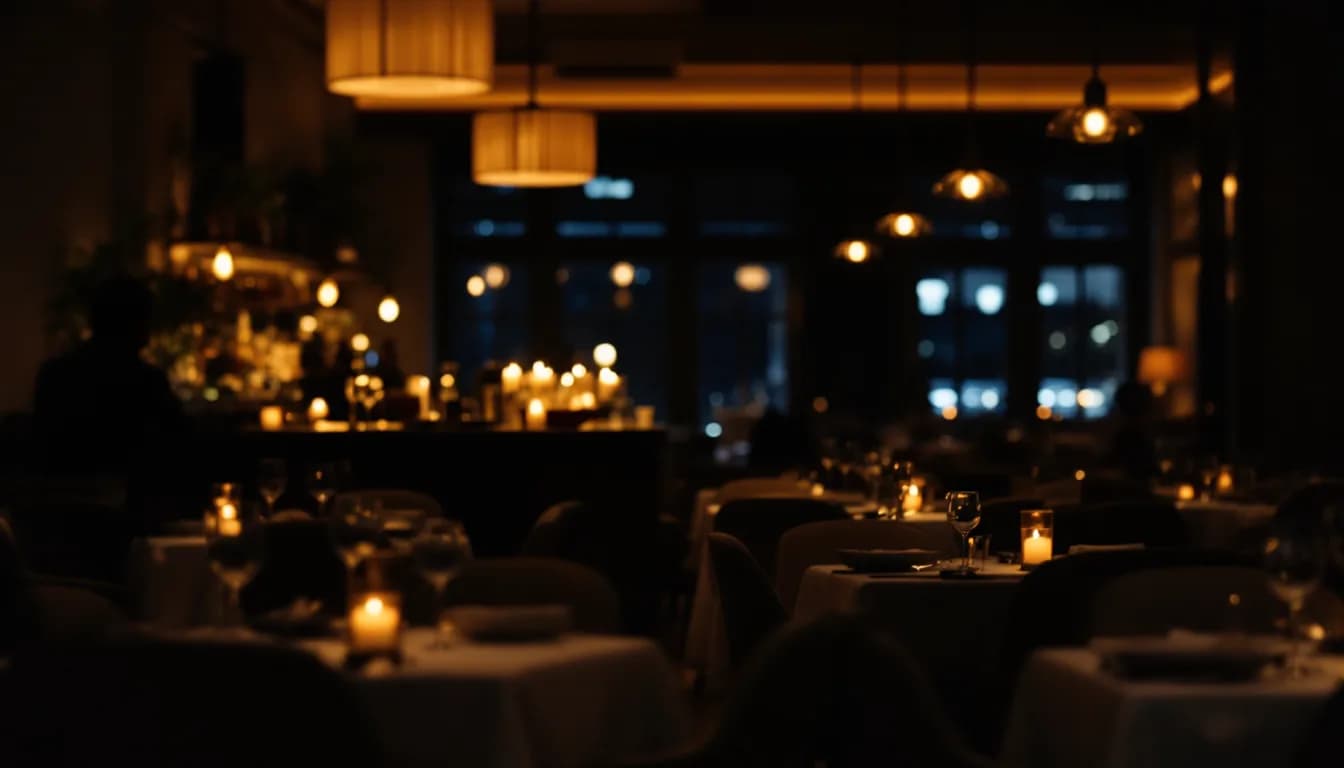
- —Day-parting divides the operating day into time windows, each with an assigned playlist or genre profile — the scheduler executes transitions automatically, without staff involvement.
- —The AI component in MUSICDJ's music toolset is the real-time jingles layer; the scheduler itself runs operator-defined rules, not autonomous per-track selection.
- —Per-zone scheduling lets venues run independent day-parting programmes across different spaces — lobby, dining room, bar — all from a single Backstage dashboard.
- —MUSICDJ's catalogue is cleared for business use, but the venue's local public-performance licence (PRO/PPL) is a separate, mandatory legal obligation the platform does not replace.
- —Start with three to four broad time windows and treat the first two weeks as a calibration phase before considering the schedule fully autonomous.
What Automated Background Music Scheduling Does — and Why It Replaces Manual Playlists
Day-parting music scheduling means dividing the operating day into distinct time windows — breakfast, mid-morning, lunch rush, afternoon lull, dinner service, late evening — and assigning a different musical profile to each one. An automated scheduler then executes those transitions without anyone in the building lifting a finger.
That is the practical definition of AI background music scheduling as it applies to hospitality operations. The intelligence is in the configuration: operators define which playlists or genre queues belong to which windows, set the parameters that reflect each service period's target atmosphere, and the system executes the plan on schedule, every day.
The status quo in most venues takes one of two forms. The first is a single static playlist looping from open to close. The second is a manager spending time each morning queuing up tracks for the day. Both produce the same result: a mismatch between the music and the moment. A slow, ambient playlist running through a Friday dinner rush does not serve the room. Neither does an upbeat evening mix playing through a quiet Tuesday breakfast. Automated background music for restaurants, cafés, and bars addresses exactly this gap.
The approach examined in this article — operator-defined day-parting with a rule-based scheduler, complemented by a real-time AI jingles layer — removes both failure modes. Operators configure the structure once, and the system maintains it. What follows covers how the scheduling framework works, how zones factor into the picture, the licensing obligations that remain with the venue regardless of platform, and how to begin.
The Day-Parting Framework: Mapping Music to Service Periods
Day-parting as a scheduling philosophy has a long history in broadcast radio. Programming directors have always understood that a 7 a.m. audience wants different content from a midnight audience. Applied to venue music, the logic holds in exactly the same way: the right soundtrack for opening prep is not the right soundtrack for a packed Saturday dinner service.
A typical hospitality day arc follows a recognisable pattern:
- Opening and prep — quiet, low-tempo background music that does not compete with staff communication
- Morning coffee period — soft, familiar tracks suited to guests seeking calm or focus
- Pre-lunch build — a gradual energy lift that signals the transition without jarring the room
- Lunch rush — a more energetic profile matched to a faster room pace
- Post-lunch reset — a return toward ambient territory as the midday crowd thins
- Pre-dinner ramp — a deliberate escalation that primes the room for evening service
- Peak dinner service — the highest-energy window of the day, suited to a full and active room
- Late-evening wind-down — a measured transition toward quieter, more conversational music
MUSICDJ's Backstage dashboard includes a built-in scheduler that lets operators define these time windows, assign playlists or genre-queue parameters to each one, and let the system execute transitions automatically. The operator decides what plays in each window; the scheduler handles the timing without requiring anyone to be present at the transition point.
The compounding benefit is consistency. The Monday-morning opener and the Saturday-evening manager are both working from the same configured schedule. The room sounds right regardless of who is on shift — and that consistency builds a more reliable brand atmosphere across every week of the year.
Tempo, Energy, and Genre: Building the Right Profile for Each Service Period
Effective day-parting rests on two layers working together. The first is the time-based rule set that operators configure — the schedule itself, with its defined windows and transition points. The second is the musical profile that operators assign to each window: the genre palette, the energy level, and the tempo range appropriate to that service period.
Tempo is the clearest parameter available. Research in retail and hospitality atmospherics consistently links faster tempos to a more active room energy during peak periods and slower tempos to longer, more relaxed dwell times during off-peak windows. Operators who have thought carefully about their crowd patterns can use that understanding to select playlists whose tracks land in the right energy territory for each window — building a smart playlist scheduling approach for hospitality that reinforces the atmosphere they want without daily guesswork.
The 'crowd stage' concept maps to these windows directly:
- Early arrivals in a quiet room benefit from ambient warmth — music that welcomes without overwhelming
- A building crowd as a lunch rush develops responds to a gradual energy escalation the room absorbs naturally
- A full peak-service room can carry a more energetic profile without it feeling intrusive
- The wind-down crowd at the end of an evening calls for a softer transition that does not feel abrupt
What the scheduler automates is the execution of these operator-defined parameters at the right time, every day. The operator decides which playlist or genre queue reflects the right profile for each window; the system transitions between them on schedule.
AI jingles and real-time audio generation sit alongside this as a complementary capability. These branded audio inserts — generated on the MUSICDJ platform without the operator needing external audio production resources — can punctuate transitions between service periods or reinforce promotional moments. This is the layer where AI operates directly on the audio output: generating short-form branded content rather than selecting tracks from the scheduled playlist catalogue.
A note on licensing that belongs here and not in the footnotes: MUSICDJ's catalogue provides licensed background music for businesses, cleared for commercial venue use. This is entirely separate from — and does not replace — the venue's own local public-performance licence from the relevant collecting society in its country. SOKOJ, GEMA, SACEM, PRS, SIAE, SGAE, and ZAMP are examples, depending on jurisdiction. Both obligations apply simultaneously. This is not a technicality; it is a legal requirement that sits entirely outside any music platform's remit. Confirm the venue's PRO or PPL licence status before going live.
Per-Zone Scheduling: When Different Spaces Demand Different Soundtracks
A single day-parting schedule solves a significant operational problem for single-zone venues. Larger properties present a more complex version of the same challenge: different spaces need different soundtracks running simultaneously.
At 7 a.m., a hotel lobby needs calm, welcoming music while its gym needs high-energy tracks. A restaurant's bar area can support a louder, faster genre mix during the dinner rush while the dining room needs to stay at a conversational level. A retail floor and its fitting rooms have acoustically different requirements and different guest modes. Day-parting music for venues with multiple zones is a distinctly more layered operational problem than it first appears.
MUSICDJ's per-zone playlist and scheduler functionality lets operators build independent day-parting schedules for each zone within a single Backstage dashboard. One login, multiple simultaneous automated schedules running independently. The lobby transitions to its mid-morning profile at 9 a.m.; the restaurant floor transitions to its lunch configuration at noon; neither schedule interferes with the other, and no staff member needs to move between zones to make it happen.
The practical operational gain is direct: managers stop moving through the building manually adjusting volume or switching playlists. Zone-specific transitions happen at pre-set times without prompting.
Control remains with the operator throughout. iOS, Android, and Web remote apps provide real-time override capability. If a private booking, a live event, or an unexpected shift in the room calls for an immediate manual adjustment, the operator can intervene from wherever they are — without returning to a fixed terminal.
Why Operators Stop Babysitting Playlists — and What They Do Instead
The core problem with manual venue music management is not a lack of music. Most venues have access to plenty of it. The problem is the cognitive load of managing it daily, the inconsistency that builds when staff forget to change it, and the atmospheric mismatches that accumulate across a week when no one is actively maintaining it.
A Friday dinner service running on the same looping playlist as a Tuesday morning sends a signal about the venue's attention to atmosphere. It is not a positive one.
Venue music automation by time of day reframes the soundtrack as operational infrastructure. Once configured, a well-structured day-parting schedule runs without daily input, in the same way a lighting timer or HVAC schedule does. It does not require a decision every morning. It does not depend on which staff member opens. It does not drift across the week.
The time-recovery value is genuine. The mental bandwidth previously spent on music decisions — even if modest — compounds across a week into time better directed at service quality, staff management, and the guest experience.
Web radio is also available within the MUSICDJ platform as an alternative stream option. For operators who prefer curated station-style content alongside or instead of a structured playlist schedule, web radio provides a defined stream that can run within designated windows without requiring playlist curation from the operator.
The longer-term return is brand consistency. A venue that sounds right at every moment of the day — not occasionally, not when the manager happens to be present — builds a subconscious association between the atmosphere and the brand. That is the compounding outcome that manual playlist management cannot reliably deliver.
Setting Up AI Background Music Scheduling: A Practical Starting Point
Getting a day-parting schedule operational requires thinking through your venue's operating day before configuring anything in the dashboard. The logical setup sequence:
- Map your operating hours into service period windows. Start with three or four broad windows rather than fine-grained intervals. Over-segmentation before you understand your crowd patterns adds complexity without proportionate benefit.
- Define the energy and genre profile for each window. What tempo range suits your lunch rush? What genre palette fits your late-evening wind-down? Answer these for your specific venue — not generically.
- Assign playlists or genre-based queues to each window in the Backstage scheduler. Match your defined profiles to the playlists or curated genre parameters available on the platform.
- Configure per-zone variations where the venue has distinct areas. Set independent schedules for the lobby, dining room, bar, or any acoustic zone with its own atmospheric requirement.
- Activate and treat the first two weeks as a calibration phase. Note moments where the automated selection feels mismatched to the actual room — then adjust the playlist or genre parameters for that window rather than abandoning the schedule.
Calibration is not optional. No configuration survives first contact with a real operating week without at least one refinement. The goal is a schedule that runs without intervention after two to three weeks of adjustment, not one that feels perfect on day one.
One step that belongs before all of the above: confirm that the venue holds a valid public-performance licence from the collecting society relevant to its country. This is a legal requirement that sits entirely outside the MUSICDJ platform and must be in place before the system goes live.
Visit /solutions/background-music for a full feature overview, or head to /get-started to set up an account.
Beyond Music: AI Scheduling Across the Full Venue Experience
Venues that have automated their soundtrack are well-positioned to extend the same scheduling logic to every guest-facing touchpoint. The scheduler that manages music transitions can manage digital signage transitions on the same timeline.
Zone-based digital signage follows the same day-parting principle: a breakfast promotion displayed on screens during the morning window, automatically replaced by a lunch special at midday, and swapped for a dinner ambiance visual in the evening. All of this is configured in Backstage alongside the music schedule — one dashboard, one set of time windows, multiple simultaneous outputs without additional manual intervention.
The CONNECT product adds a guest-facing dimension to the curated atmosphere. Guests who scan a QR code at the table can see what is currently playing, access the digital menu, and — where enabled — interact with guest-facing music controls with PayPlay, the platform's paid song-request feature. The atmosphere the operator has built through careful day-parting becomes tangible to guests, reinforcing the impression of a venue that manages its environment deliberately.
For hotel contexts, STAY extends the same logic into individual rooms. The in-room guest TV and branded no-download guest app bring the venue's ambient approach into the guest room itself, while the AI guest agent handles questions and requests without requiring owner involvement at every step.
What ties all of these elements together is the unified Backstage scheduler: one system managing music, visuals, and guest information across every zone and touchpoint — rather than three separate tools operated manually in parallel. Automating venue music by time of day and service period is the most immediate operational win for most properties. For many, it also turns out to be the first step toward a broader rethinking of how the entire guest experience is managed — from the speakers to the screens to the device in the guest's hand.
Manual Playlist Management vs. Automated Day-Parting Scheduling
| Feature | Manual Playlists | Automated Day-Parting |
|---|---|---|
| Service-period transitions | Requires staff action at each shift change | Executes automatically at pre-set times |
| Day-to-day consistency | Varies by which staff member opens | Identical schedule regardless of who is on shift |
| Zone-specific control | Separate manual management per zone | Independent schedules per zone from one dashboard |
| Daily operator input required | Recurring playlist decisions throughout the day | None, once configured and calibrated |
| Real-time override | Manual, by whoever is present | Remote override via iOS, Android, or Web app from anywhere |
| Music licence coverage | Venue-managed PRO/PPL (venue's obligation) | Venue-managed PRO/PPL (unchanged) — platform provides a separate business-use catalogue licence |
Pyetjet e shpeshta
Does MUSICDJ's platform cover my venue's public-performance licensing obligations?
No. MUSICDJ's music catalogue is licensed for commercial business use, which covers the platform's own streaming rights. Your venue still holds a separate obligation to maintain a valid public-performance licence from the collecting society in your country — for example, SOKOJ, GEMA, SACEM, PRS, SIAE, SGAE, or ZAMP. Both apply simultaneously and independently. Confirm your PRO or PPL status before going live with any business music platform.
How many zones can I schedule independently?
MUSICDJ's per-zone functionality supports multiple independent day-parting schedules across different areas — lobby, dining room, bar, gym, and so on — all managed from the Backstage dashboard. Each zone runs its own schedule without interfering with others.
Can I override the automated schedule in real time?
Yes. The iOS, Android, and Web remote apps give operators real-time override capability. If a private booking, live event, or unexpected crowd shift requires an immediate adjustment, you can intervene from wherever you are without returning to a fixed terminal.
Is day-parting scheduling practical for a small, single-zone venue?
Yes. Even a single-zone venue benefits meaningfully from day-parting. The operational gain — not having to manually switch playlists throughout the day — applies regardless of venue size. Start with three to four windows, keep the setup simple, and refine over the first two weeks of operation.
What is the difference between the scheduler and the AI jingles feature?
The scheduler is a rule-based automation tool: it executes operator-defined transitions between assigned playlists or genre queues at pre-set times. The AI jingles feature generates short-form branded audio inserts on the platform, which operators can use to punctuate service-period transitions or reinforce promotions. They are complementary but distinct capabilities — the scheduler manages timing; AI jingles generate audio content.
Stop Managing Playlists. Start Managing the Room.
Configure your venue's day-parting schedule in Backstage, assign the right music profile to every service period, and let the system handle every transition — every day, without prompting.
Get Started